Approach Procedures 4-9
BACK COURSE APPROACHES
Always ensure the front course is set in the Selected Course
window. The system will recognize it is on a back course when
the VHF receiver is locked onto a valid signal and there is a
sufficient difference between aircraft heading and the selected
course. There is no need or ability to manually select back
course operations with the DFC100. A “BCRS” annunciation will
be added to the HDI, the HDI and CDI indicators will display
correct sensing, and the autopilot will turn in the proper direction.
□ Ensure the Primary Nav LSK is set to a VHF source
(NAV1 or NAV2) and tuned to a LOC/ILS and the
approach is loaded in the FMS900w
□ Ensure the front course is set in the Selected Course
window (if the backcourse approach is loaded in the
FMS, then the course is automatically loaded in the
Primary Nav LSK datablock.)
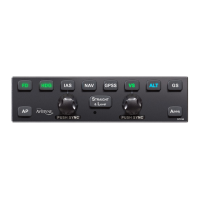
□ Press either the “NAV” or “APPR” button on the autopilot
control panel (either will work fine)
□ Note that the “NAV” and “APPR” button are lit in green on
the autopilot control panel
□ Note that “NAV APPR” is displayed in green in the
autopilot modes annunciator section of the display


 To Next Page