1-4 System Overview
GENERAL AUTOPILOT OPERATIONS
The Digital Flight Control (DFC) DFC90 autopilot has been
designed to be a retrofit digital autopilot. It requires an Avidyne
PFD (Release 8.0.2 or later PFD) or an Aspen EFD1000 PFD
(Release 2.6 or later Pilot Pro PFD).
In a DFC-equipped airplane, the autopilot uses the output of the
Air Data and Attitude-Heading Reference System (ADAHRS)
embedded in the PFD and is therefore an attitude-based
autopilot. A digital, attitude-based autopilot will be noticeably
more precise than the rate-based autopilot it is replacing.
As a rule, the pilot should not attempt to provide “active
assistance” to the autopilot by utilizing yoke controls, when
engaging the autopilot or while the autopilot is engaged in AP
mode.
ALWAYS A VERTICAL AND LATERAL MODE ENGAGED
The DFC90 autopilot has been designed to always have both a
lateral and vertical mode engaged. If a specific lateral mode has
not been selected by the pilot, then the system defaults to Roll
Hold mode. If a specific vertical mode has not been selected by
the pilot, then the system defaults to Pitch Hold mode.
SINGLE PRESS TO HOLD, DUAL BUTTON PRESS TO
CAPTURE
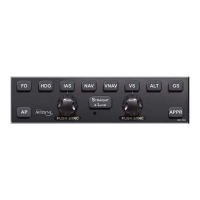
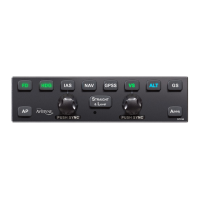
A single button press is typically required to engage a desired
mode, while a dual button press is typically required to capture a
new target. For example, to engage altitude hold, press ALT; to
engage heading hold, press HDG, to hold indicated airspeed,
press IAS. Likewise, to engage a vertical mode that will result in
capturing a new altitude, press both IAS and ALT or VS and ALT,
to capture a course, press both HDG and NAV, etc.


 To Next Page