Approach Procedures 4-5
NON-WAAS GPS APPROACH (RNAV OR OVERLAY OR LNAV)
□ Ensure the Primary Nav LSK is set to a GPS source and
a GPS approach is loaded in the GPS Nav-Com
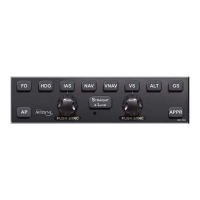
□ Press the “NAV” or “APPR” or “GPSS” buttons on the
autopilot control panel
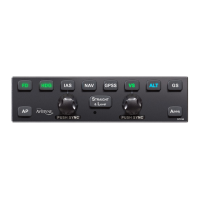
□ Note that the “NAV” and “APPR” buttons on the autopilot
control panel are lit in green or the “GPSS” and “APPR”
buttons are lit in green if the autopilot is flying the bank
commands
□ Note that “NAV APPR” or “GPSS APPR” is displayed in
the PFD mode annunciator section
□ Execute a missed approach, if appropriate
VOR APPROACH
□ Ensure the Primary Nav LSK is set to a VHF source and
tuned to a VOR
□ Ensure the approach course is set in the Selected
Course window
□ Press “APPR” on the autopilot control panel, or “NAV”
and then “APPR” (VOR approaches are the only types of
approaches in which the “APPR” button must be
pressed.)
□ Note that both the “NAV” and “APPR” button on the
autopilot control panel are lit in green
□ Note that “NAV APPR” is displayed in the PFD mode
annunciator section
□ Execute a missed approach, if appropriate


 To Next Page