43
Creating a Shortcut Button
By setting frequently used scan settings and destinations as Shortcut on the
Home screen, the product helps you to streamline your workflow and complete
your scanning task in just one single step.
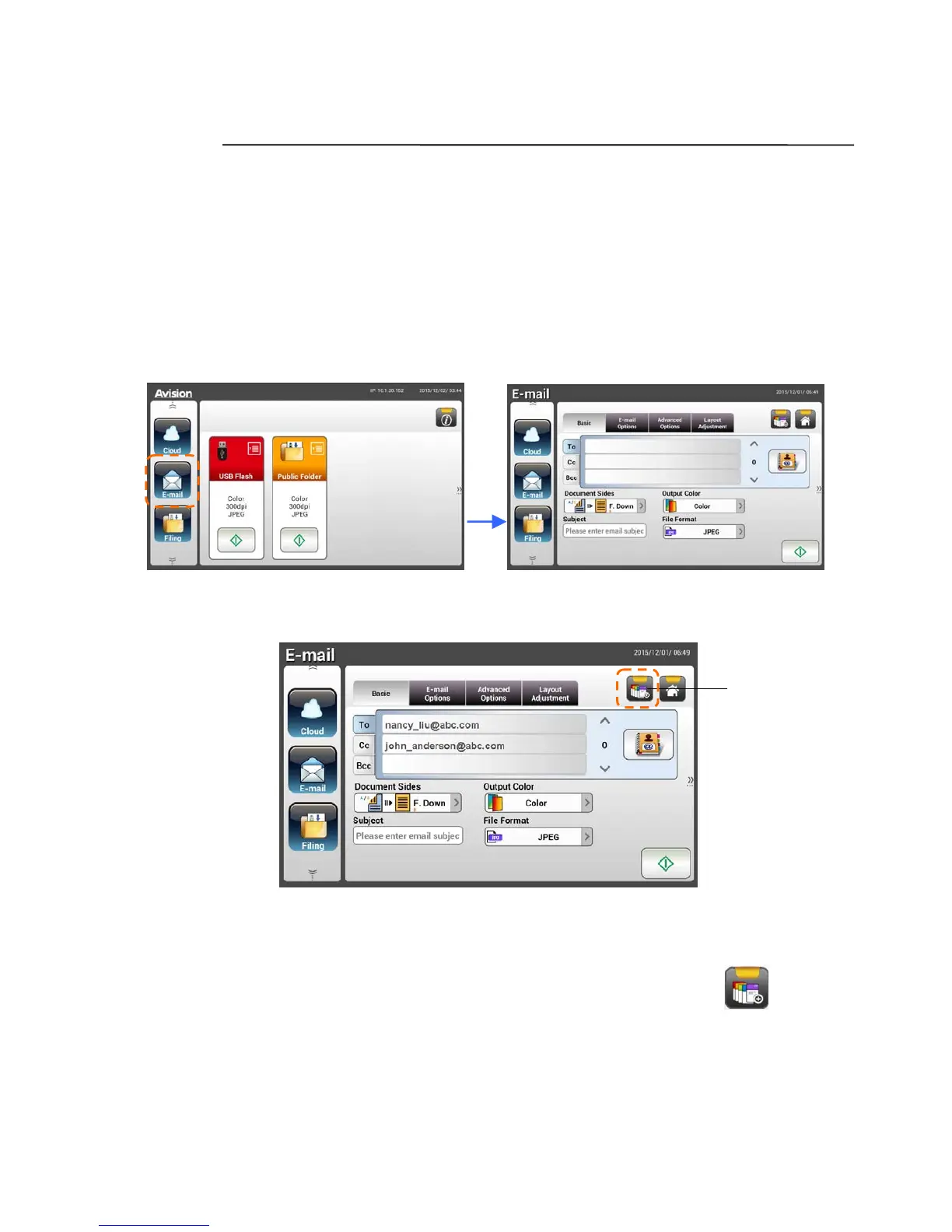
To create a Shortcut button,
1. Select your frequently operational mode on the left panel. For example,
E-mail. The E-mail screen will be displayed on the right panel.
2. Select your frequently used e-mail address in the [To]/[CC]/[BCC] field.
3. On the [E-mail options] screen, type your [From] address.
4. Check if any of the scan settings needs to be changed to suit your
frequently used e-mail task.
5. If the scan settings are satisfactory, tap the [New ShortCut]
to
create your new ShortCut.
Add a New
ShortCut
Button


 To Next Page
 Loading...










