68
Customizing the Product’s Configurations by the
Touch Screen
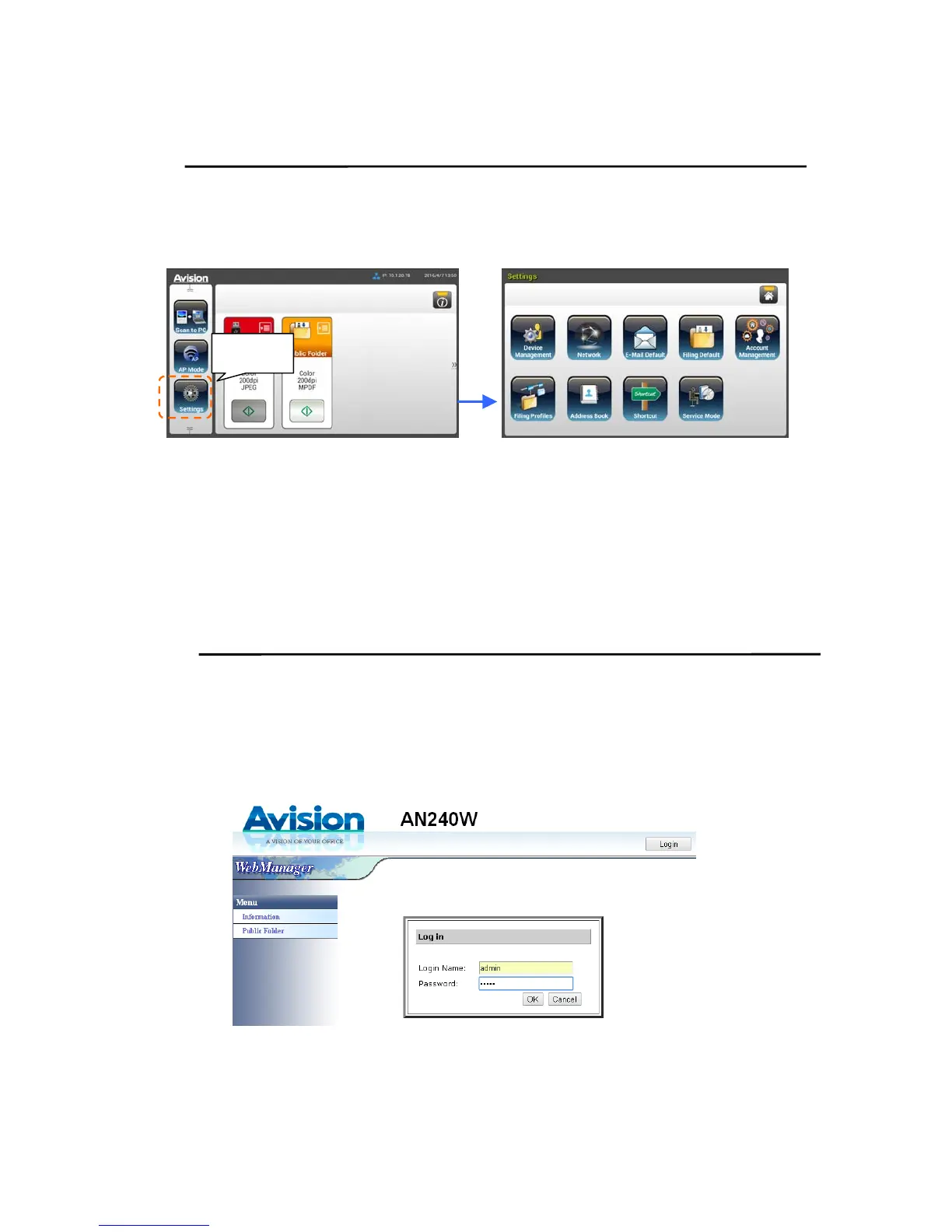
Press the [Settings] button on Touch Screen. The [Settings] screen will be
displayed as indicated.
These 8 buttons displaying at the top are: General, Network, E-Mail Default,
Filing Default, Filing Profile, Address Book, ShortCut, and Service Mode. For
details on each setting, please refer to the subsequent section, Summary of the
Product’s Configurations.
Customizing the Product’s Configurations by the
Product’s Web Page
1. Open your browser.
2. Type the IP address of the product in the URL field of your browser and then
press Enter. The product’s embedded web page appears.
3. To access complete information of the web page, please login with the default
user name and password – [admin]. The password can be changed later in
the web page.
Settings



 To Next Page