User’s Manual
2.11 How to Change the Scanner’s IP Address and Device
Name
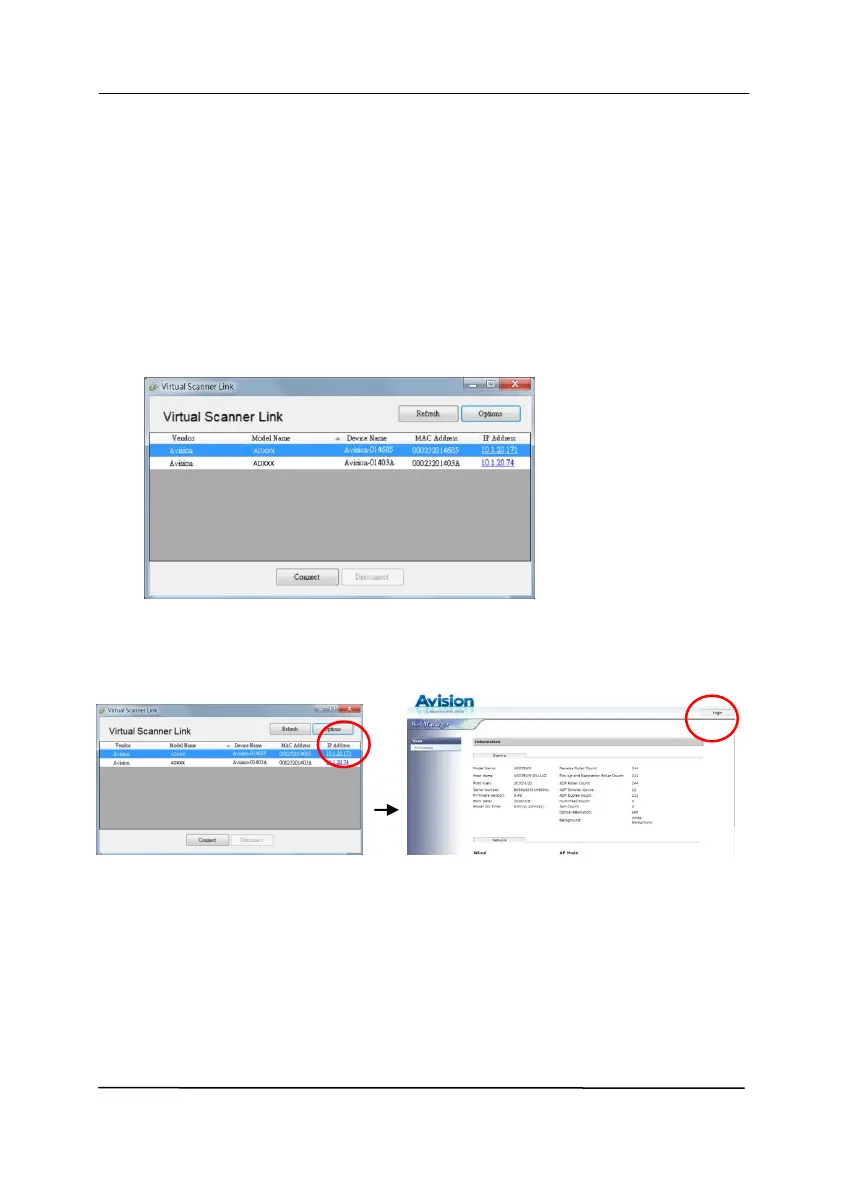
1. Start [Virtual Scanner Link] by choosing Start>All
Programs>Avision Virtual Scanner>Virtual Scanner
Link. The main window will be displayed and the scanners
in your network will be searched automatically.
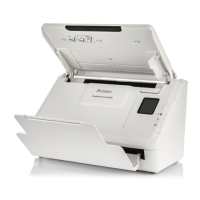
2. Click the scanner’s IP address as indicated. The scanner’s
web page will be displayed.
3. Please login first with the default user name and password –
[admin]. Click [Network] and then [Wired]>[Next] to enter
your specific IP address or change the device’s host name.
Finally click [Next]>[Export] to complete.


 To Next Page