29
© 2008 Directed Electronics. All rights reserved.
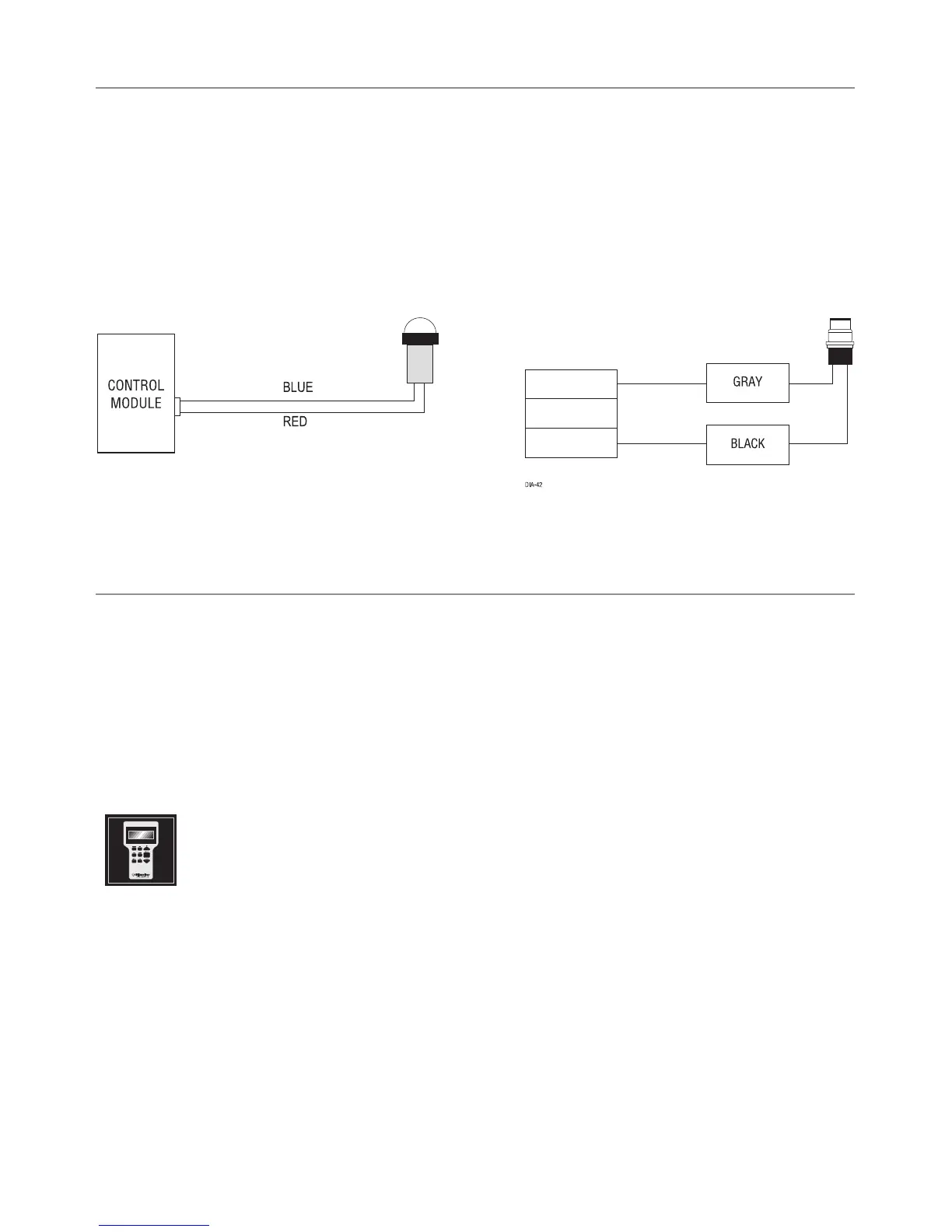
Plug-in LED and valet/program switch
These plug into the module. The Status LED plugs into the small two-pin socket,
while the Valet /Program Switch should be plugged into the larger blue two-pin
connector. The Status LED fits into a 9/32-inch hole.
Status LED Valet/Program Switch
D2D programmer interface - 4-pin red plug
The 4-pin red port is for interfacing with an XK module through D2D, or you can
use it for programming with the Bitwriter. If the XK module is unplugged so the
port can be used for Bitwriter programming, you must reprogram the XK module
when plugging it back into the 4-pin red port.
When the learn routines have previously been programmed using the
Bitwriter, they may have been locked. Before proceeding with repro-
gramming the learn routines, they must be unlocked with the Bitwriter
- this cannot be done manually with the Valet switch.
Note
:
Bitwriters require software v2.5. Bitwriters with date code of 6A or older
require an IC upgrade (p/n 998M). Some bitwriters with a date code of 6B do
not require the IC upgrade, refer to Tech Tip # 1112 for more information.
Bitwriter 2 compatible.



 To Next Page