Operation Instruction
Multiview Output Layout
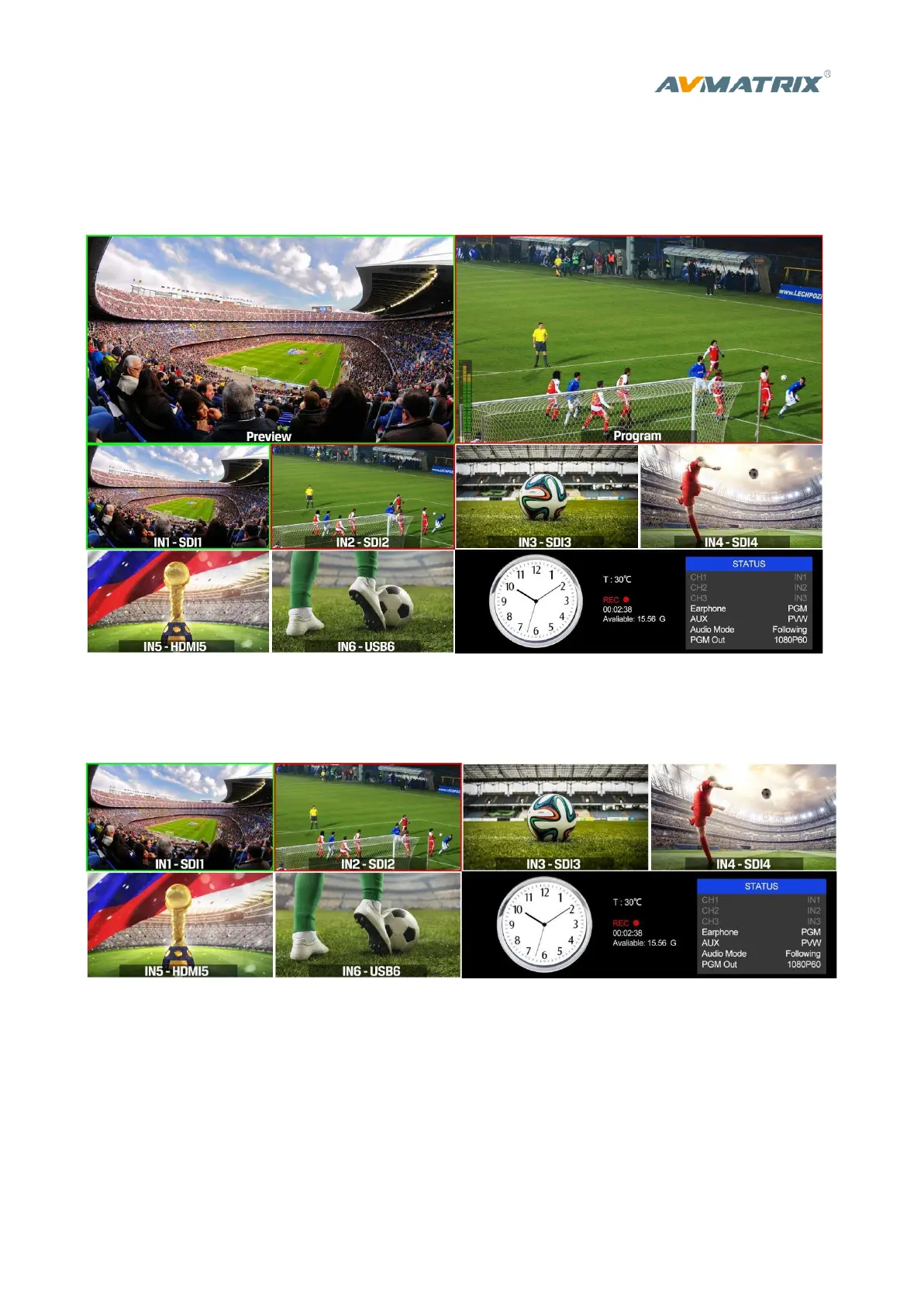
1) PGM and PVW as Preview and Program displayed as following image. The level meter of PGM audio
is shown only in multiview. SDI/HDMI PGM out is without any overlays.
2) The following 6 windows come from the 6 input signals. The signal source of window 5 and 6 can be
selected from HDMI, DVI, VGA, USB.
3) The lower right corner displays the menu and status information. The CH1, CH2, CH3 are the channel
selection of the 3 audio sources for audio mixer. There is a real-time Digital clock/ Analog clock
displayed beside the menu.



 To Next Page