EasyManua.ls Logo

Avtech KPD677 - User Manual

Avtech KPD677
426 pages
Print Icon
To Next Page IconTo Next Page
Loading...
340Z
K674_677_679_C551_A791A_798A_796A_M751_757_759_688A_686A_Manual_V1.2
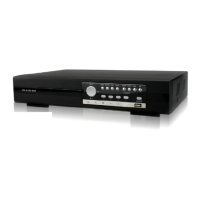
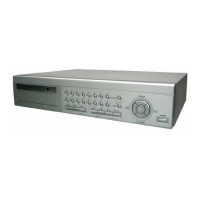
H.264 Network DVR
User Manual
GUI Display with USB Mouse Control
Please read instructions thoroughly before operation and retain it for future reference.
For the actual display & operation, please refer to your DVR in hand.

Table of Contents

Questions and Answers

  • K
    Kimberly CooperSep 9, 2025
    Why can’t I backup video with audio on Avtech DVR?
    • C
      Caroline BakerSep 9, 2025
      If you can't back up video with audio on your Avtech DVR, first ensure that your DVR and camera both support the audio function. Also, make sure your audio camera is connected to the correct DVR audio input.
  • T
    Tammy WilsonSep 12, 2025
    Why can’t I play recorded data on my Avtech KPD677?
    • W
      walkerkelseySep 12, 2025
      If you cannot play recorded data on your Avtech DVR, ensure there are at least 8192 images of recorded data for playback to function correctly. If there are fewer images, the DVR will stop playback. For example, at 30 IPS, the recording time should be at least 273 seconds (8192 images / 30 IPS) for proper playback.
  • J
    Julie KellerSep 13, 2025
    How to view Avtech KPD677 images over network with IE?
    • A
      ashleyallisonSep 14, 2025
      To resolve the issue of being unable to view Avtech DVR images over the network with IE web browser after login, check the DVR firmware version. Also, allow the web browser ActiveX or applet in the pop-out message.
  • A
    Alexis LeeSep 16, 2025
    Why can’t I use the IR remote control with my Avtech DVR?
    • A
      adammaySep 16, 2025
      If you can’t use the IR remote control with your Avtech DVR, first check if your DVR model supports IR remote control. Then, ensure the batteries are installed correctly. Finally, aim the remote directly at the IR receiving zone on the DVR and try again.

Avtech KPD677 Specifications

General IconGeneral
Video Input4 channels
Hard Drive Support1 SATA HDD
Maximum HDD CapacityUp to 2TB
Audio Output1 Channel
Operating SystemEmbedded Linux
Channels4
CompressionH.264
Power SupplyDC 12V
Recording Resolution720x480
Network InterfaceEthernet (RJ-45)
Mobile SurveillanceiOS & Android
USB2 x USB 2.0

Related product manuals