AVTECH Software, Inc. Page 22 AVTECH.com
Room Alert S Models (RA32S-DAP-RAS & RA12S-DAP-RAS)
Tip
4. Choose the Prole you wish to congure in the Prole drop-down list. Depending on
your model, you may have up to 5 available Proles, plus a “Default” prole where you
can congure the built-in Relay’s default behavior.
The features available vary depending on the device you’ve selected.
Light Tower & Relay Adapter (LTA)
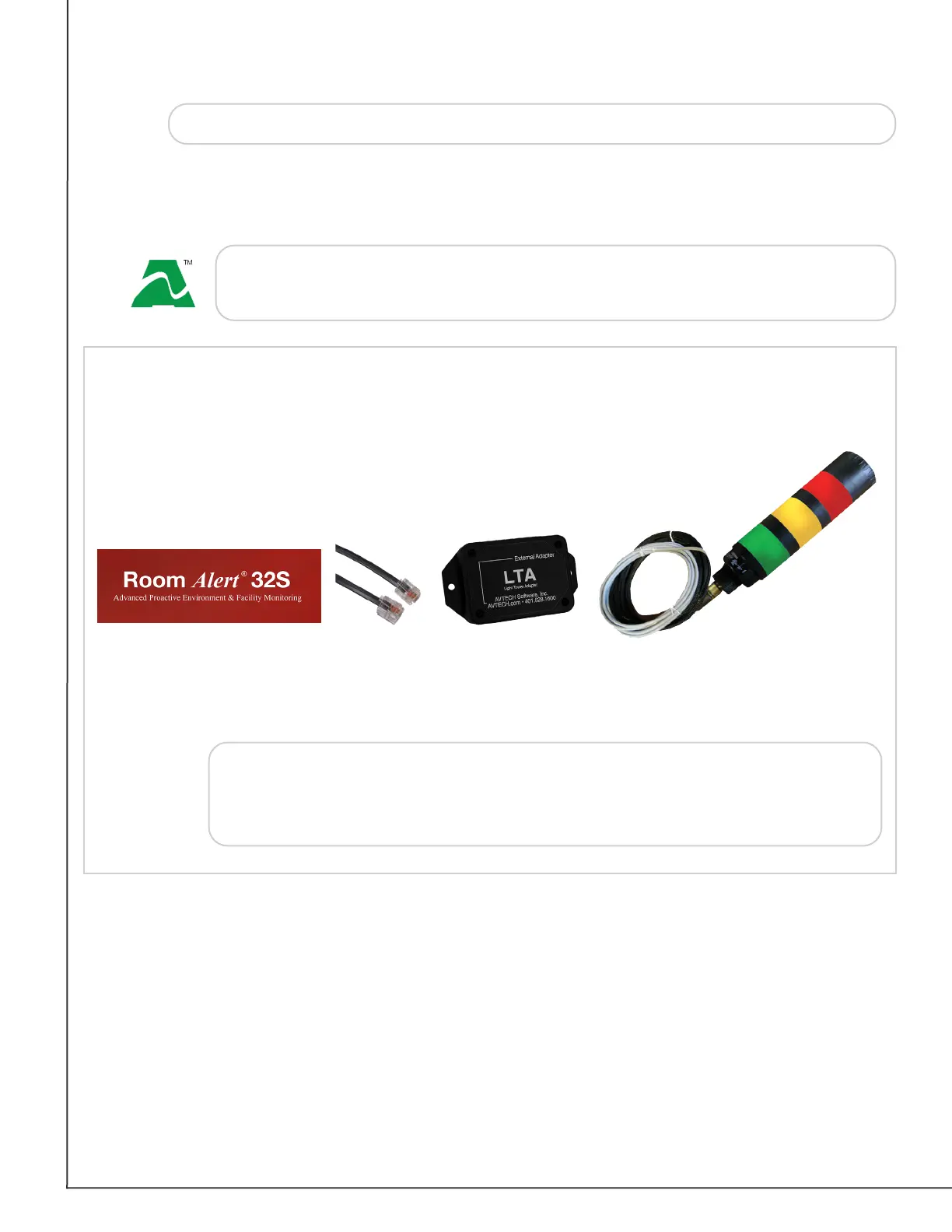
A Light Tower & Relay Adapter gives you the option to add an AVTECH Light Tower, Light
Tower w/Audio or Relay Switch to your Room Alert. You may also connect a low-voltage
device directly to the built-in relay port on the Light Tower & Relay Adapter.
Shown here is a sample conguration:
Room Alert
+
+
+
RJ-11
Cable
Light Tower &
Relay Adapter
Light Tower
Custom Cord
Light Tower
w/ Audio
+
Note
The Light Tower w/Audio in this conguration can be replaced with a
standard Light Tower or Relay Switch. For more information about AVTECH
sensors and accessories, please visit the Sensors & Accessories sections of
AVTECH.com.
The Room Alert 32S oers a “Default” prole plus 5 additional proles.
The Room Alert 12S oers a “Default” prole plus 3 additional proles.


 To Next Page
 Loading...