14
Accessing Web-interface
Once your SIM card is setup the AMR985 is ready to go and as long as you
have sufficient network coverage your devices will be able to access the
internet. Wherever possible it is strongly advised to leave all options in the
factory default settings.
However, if you need to access any of the top level settings please see below.
To access the web settings you need to be logged onto the AMR as
previously mentioned and then in the browser enter the IP address of the
AMR, the IP address is 192.168.1.1. The password is 123456789 It is
possible to access this from any web browser on a connected PC/laptop,
tablet or smart phone.
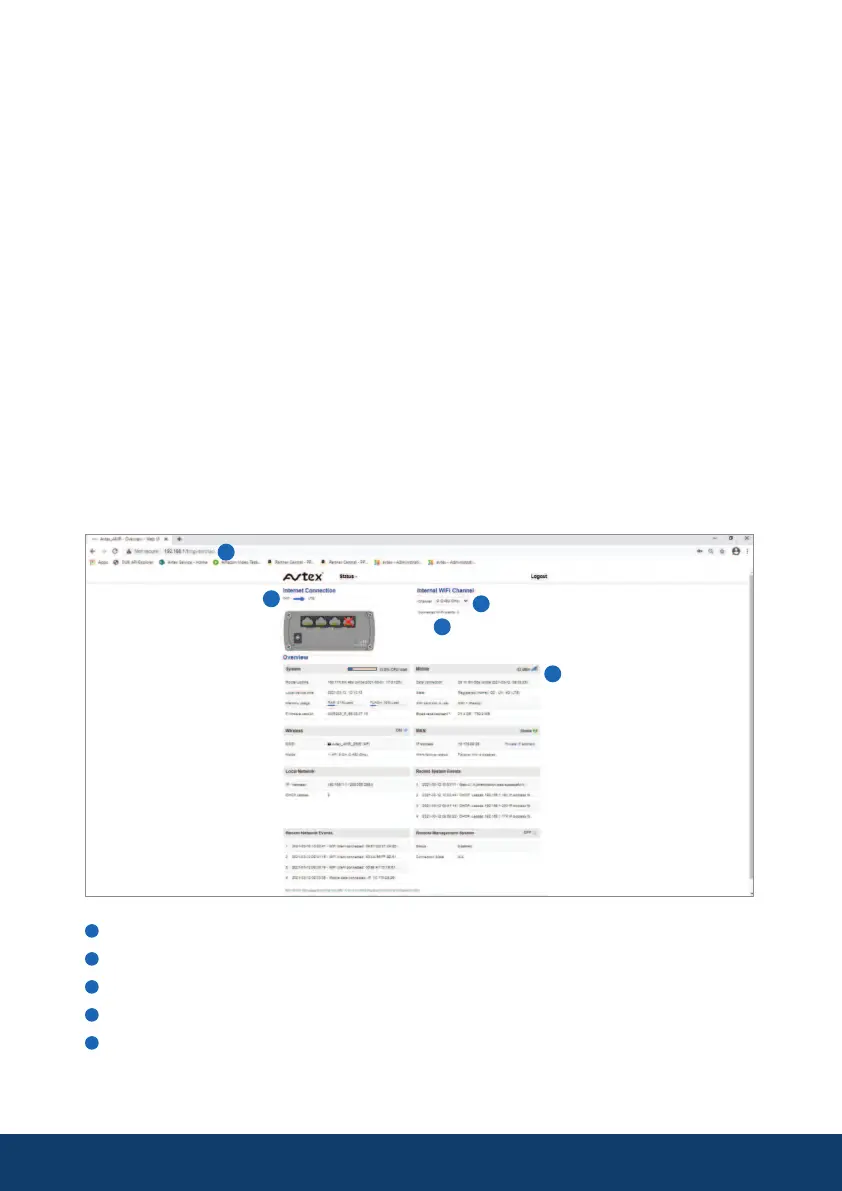
You are then presented with a status overview page, where the user can see
LTE signal strength, number of devices logged on, a LTE/WiFI toggle switch,
channel selector and other status conditions. The IP address and password
will also be listed on the device.
LTE / WiFi Toggle Switch (see page 16)
Current Channel (drop list to change)
Number of devices active on AMR985
Carrier information
Device IP address


 To Next Page