AMR985 Basic Setup
Router
Step 1
After SIM card activation (see details enclosed) please follow below:
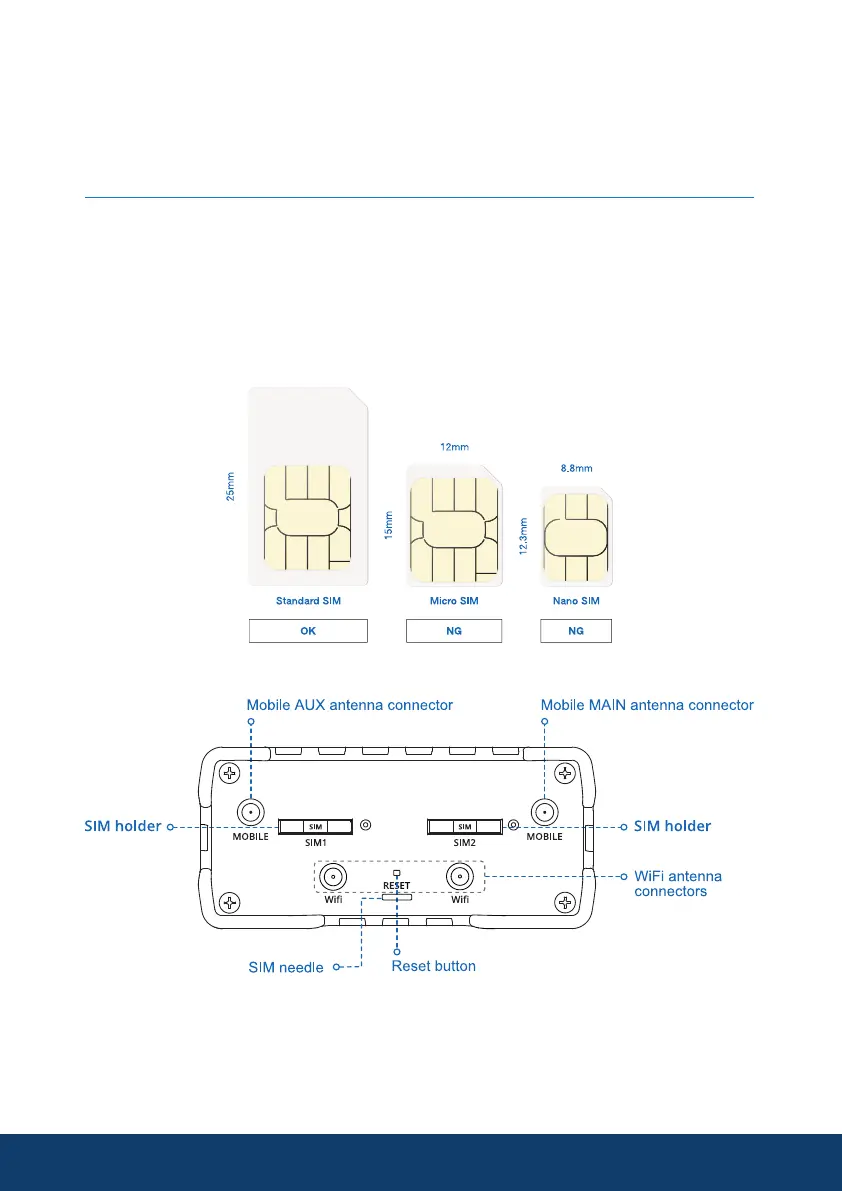
• Insert the SIM card into the SIM 1 holder.
• A standard size SIM must he used.
• Push the SIM 1* holder button with the SIM needle
• Pull out the SIM 1* holder
• Insert your SIM card into the SIM 1* holder and insert back into AMR985.
8
* Please Note: Your AMR985 will function fully with only one SIM, but it
must be loaded into the SIM 1 slot.
If using 2 SIM cards installation same as above, but use SIM2.



 To Next Page