Smart Device
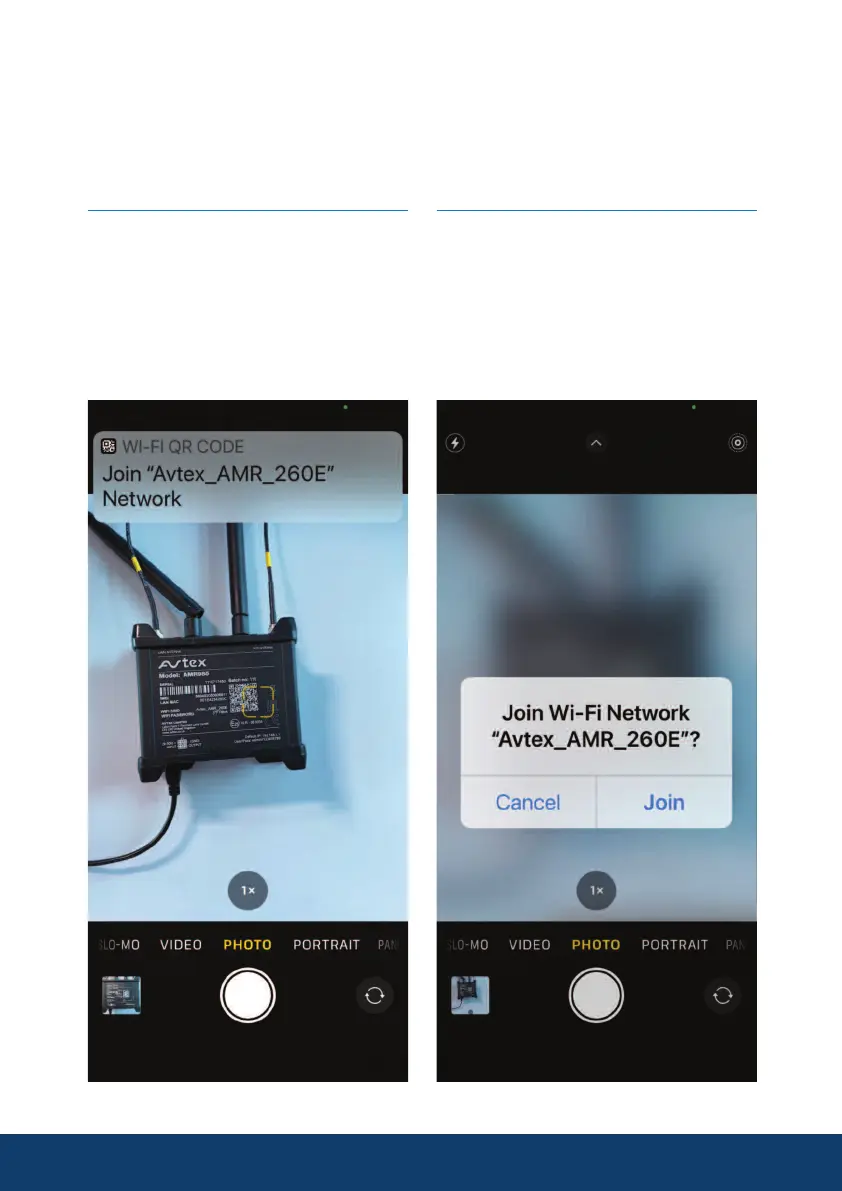
To connect the AMR985 to any Smart device, iPhone, Android device, iPad
etc. Either using the standard WiFi setup in the device's settings menu or by
scanning either of the QR codes that can be seen on the AMR985.
11
Step 2
Select join, your device will
automatically logon to the AMR_985
without the need for you to input
the device password. Your device
will now have internet connection
via the AMR985.
Step 1
Using the camera on your smart
device scan the QR code on the
AMR_985, select the message when
it appears on the screen select.


 To Next Page