Step 2
Attach the antennas as follows.
• Leads from the antenna:
– Cell A > Mobile main antenna connector
– Cell B > Mobile AUX antenna connector
• WIFI Stick antennas > WiFi antenna connectors.
Please take care of centre pins when inserting into connectors
Step 3
There are 4 mounting holes on the rear of the AMR985 that can be used to fix
the unit inside the vehicle in the desired location. Please allow enough room
to facilitate all the antennas.
Step 4
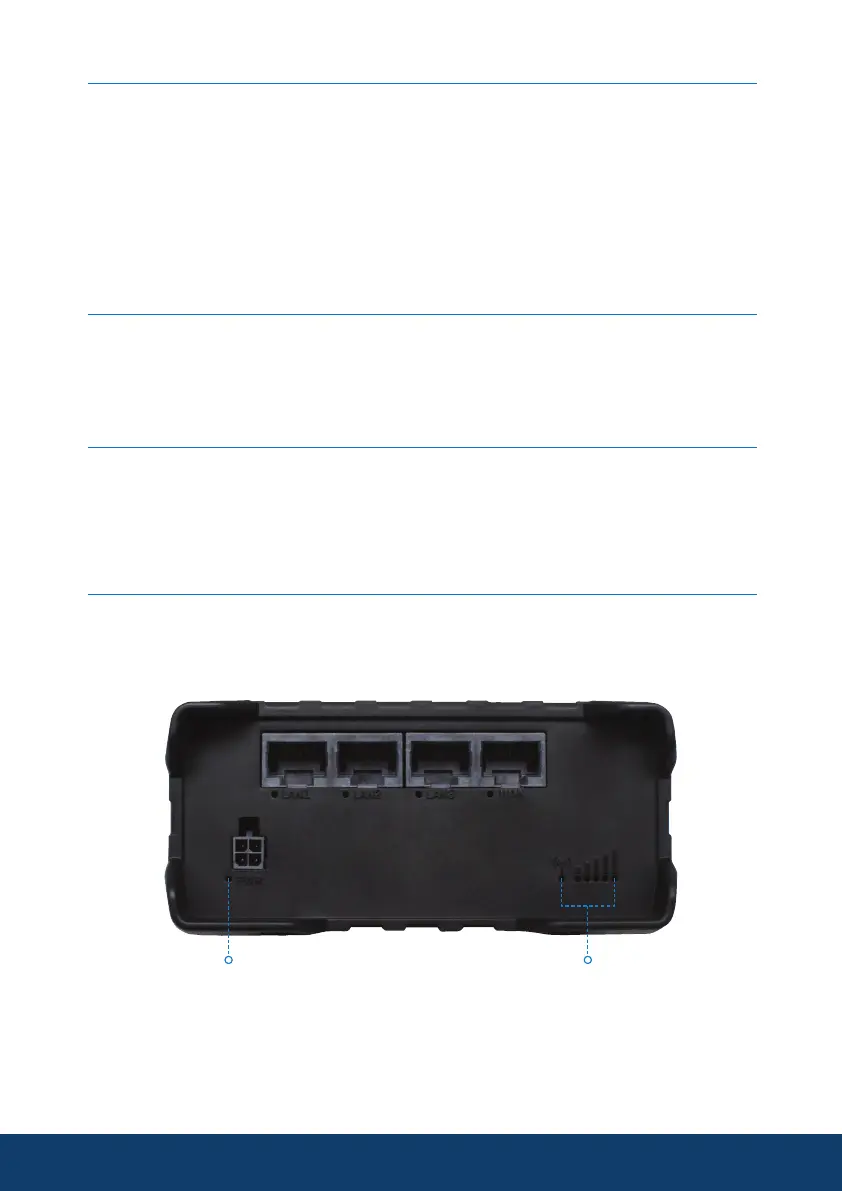
Connect the power adapter to the socket on the front of the device. Then
plug the other end of the power adapter into a power outlet.
Please use the power cables supplied with the product.
Step 5
At power up of the AMR985 please always allow 2-3 minutes for the device
to fully boot up. See below the indicator lights on the device, both power and
signal lights need to illuminated to acquire service.
9
Power LED Mobile Signal Status



 To Next Page