&$
%#
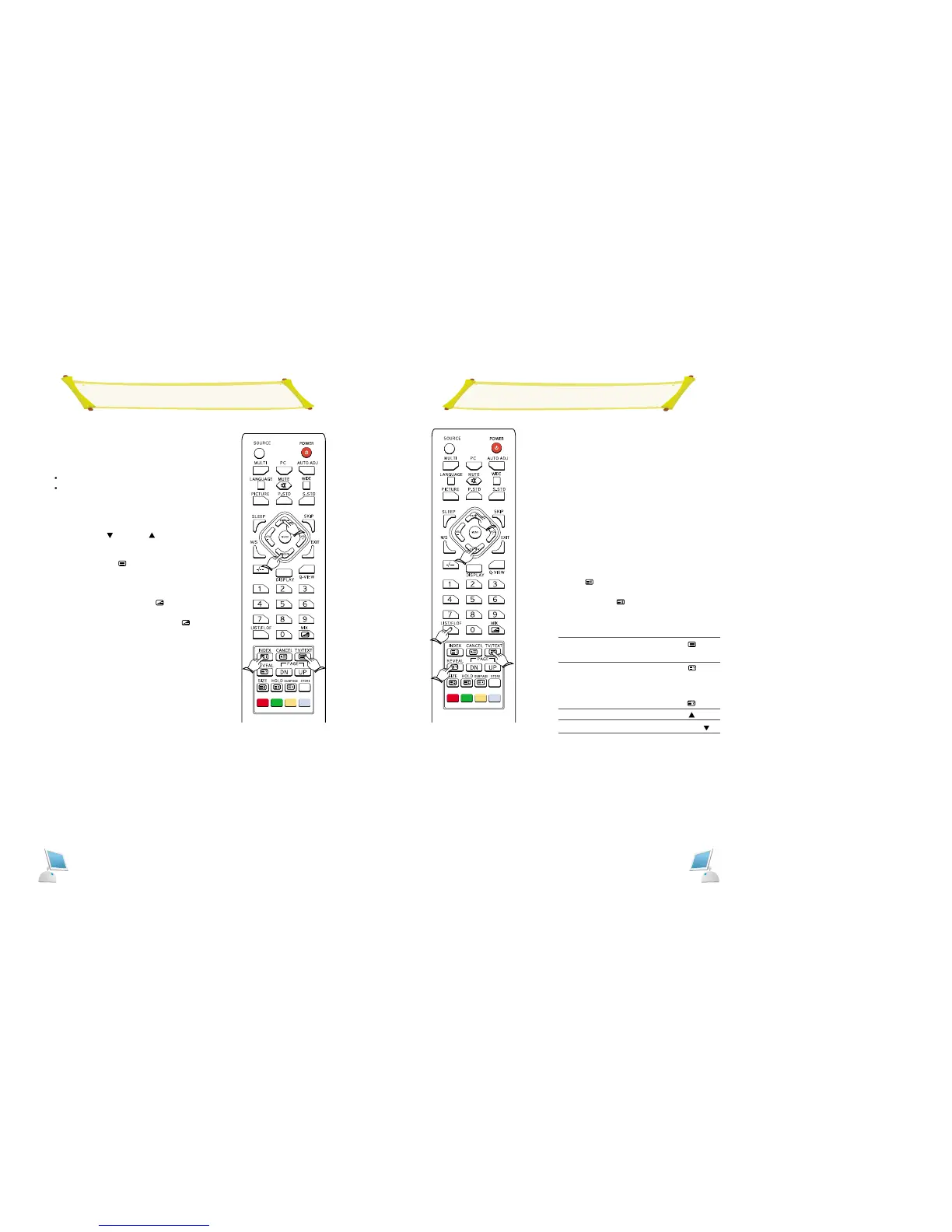
Selecting a Specific Teletext Page
NOTE: The teletext feature dose work with TV, AV,
S-Video signals.
Press the numeric buttons on the remote control to
enter the page number directly:
1 Enter the three-digit page number listed in the con-
tents by pressing the corresponding numeric but-
tons.
Result: The current page counter is incremented
and the page is then displayed.
2. If the selected page is linked with several sec-
ondary pages, the secondary pages are displayed
in sequence.
To freeze the display on a given page, press the
HOLD ( ) button.
Press the HOLD ( ) button again to resume.
3. Using the various display options"
To display ...
Both teletext information and
the normal broadcast
Hidden text
(answers to quiz games, for
example)
The normal screen
The next page
The previous page
FLOF/LIST select
Press the ...
TV/TEXT
()
REVEAL
()
REVEAL
()
again
PAGE UP
( )
PAGE DOWN
( )
FLOF/LIST
Displaying Teletext Information
NOTE: The teletext feature dose work with TV, AV,
S-Video signals.
You can watch teletext information at any time, but sig-
nal reception must be good. Otherwise:
Information may be missing.
Some pages may not be displayed.
To activate the teletext mode and display the contents
page:
1 Using the PROG[
] or PROG[ ] button, select
the channel providing the teletext service.
2. Press the TV/TEXT ( ) button to activate the
teletext mode.
3. To display the actual broadcast simultaneously with
the teletext page, press the MIX ( ) button.
4. Return to normal viewing, press the MIX ( )
button.



 To Next Page