TrueBrake Installation Manual v1.0 - November 2019
© Aeroxcraft Ltd 2019
AXC Logo is registered trademark of Aeroxcraft Ltd. Logitech the Logitech logo and other Logitech marks are owned by Logitech and may be
registered.
*Aeroxcraft Ltd will not be held responsible for any damage to your Logitech pedals or steering wheel.
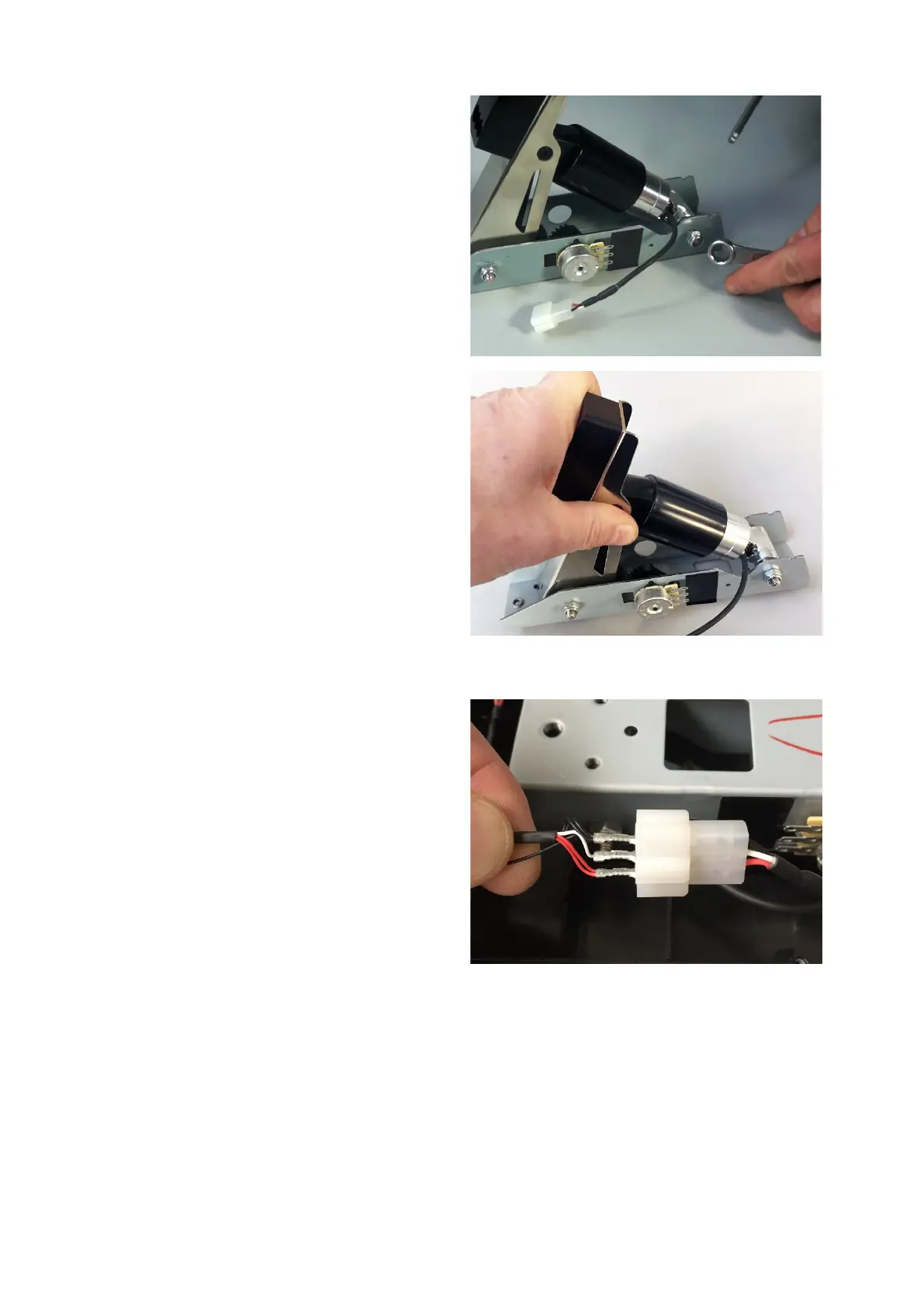
Tighten up the nut and bolt.
Now is a good time to check the feel of the pedal.
It’s easier to change your mind now
about which
Step 7 – Re-install Brake Pedal Unit
Place the brake pedal unit back in the main pedal
assembly.
Connect the red, white and black wires to the
matching wires in the True Brake connector.



 To Next Page