TrueBrake Installation Manual v1.0 - November 2019
© Aeroxcraft Ltd 2019
AXC Logo is registered trademark of Aeroxcraft Ltd. Logitech the Logitech logo and other Logitech marks are owned by Logitech and may be
registered.
*Aeroxcraft Ltd will not be held responsible for any damage to your Logitech pedals or steering wheel.
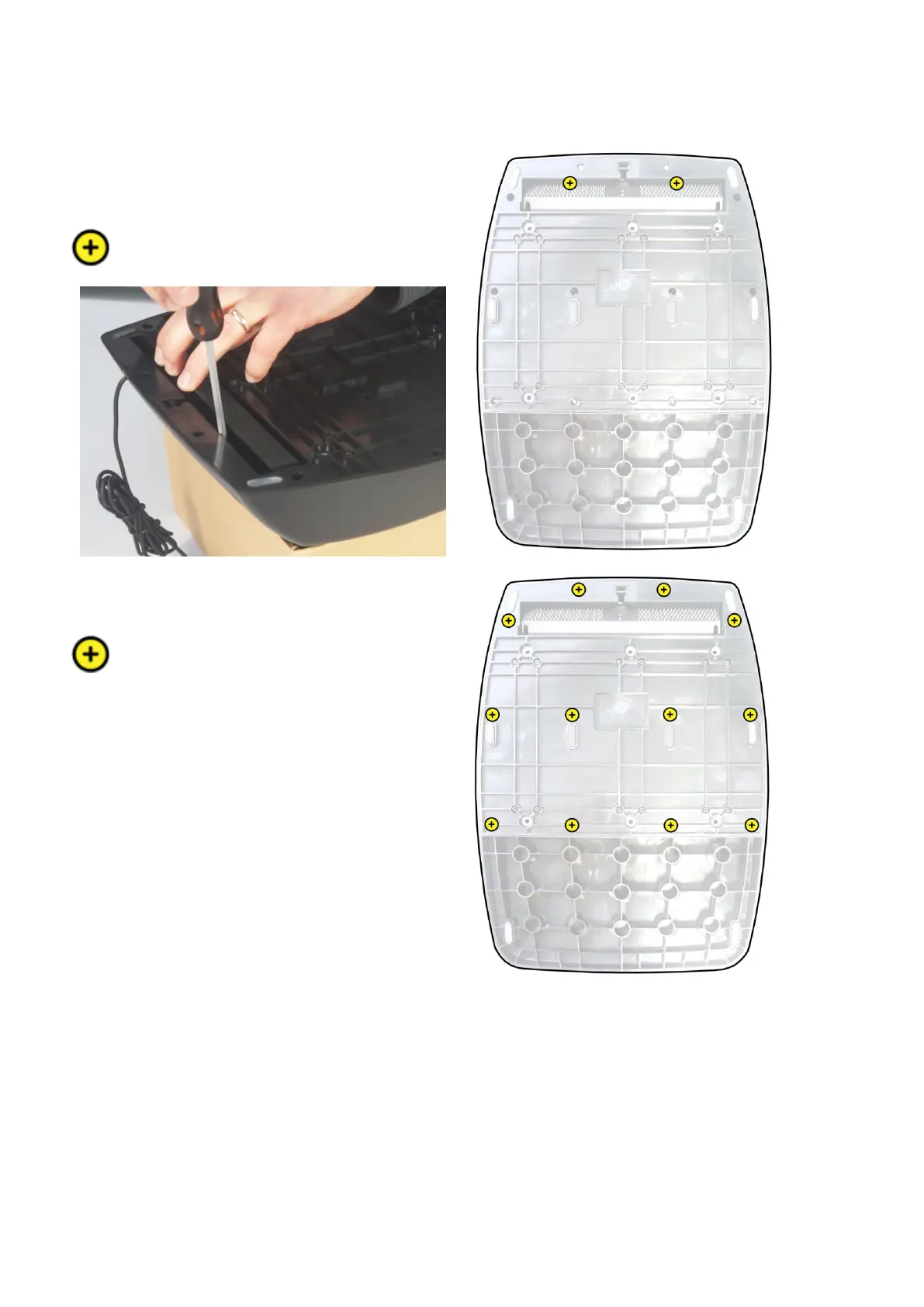
Step 3 – Remove bottom cover
Use a Phillips No.1 screwdriver to remove the 2 small
screws that are under the carpet gripper. The positions
are shown in the diagram opposite.
Use a Phillips No.1 screwdriver to remove the 12 small
screws shown opposite.



 To Next Page