CAPA848 Capa Board
52 AMI BIOS Setup Utility
4.7 Boot Menu
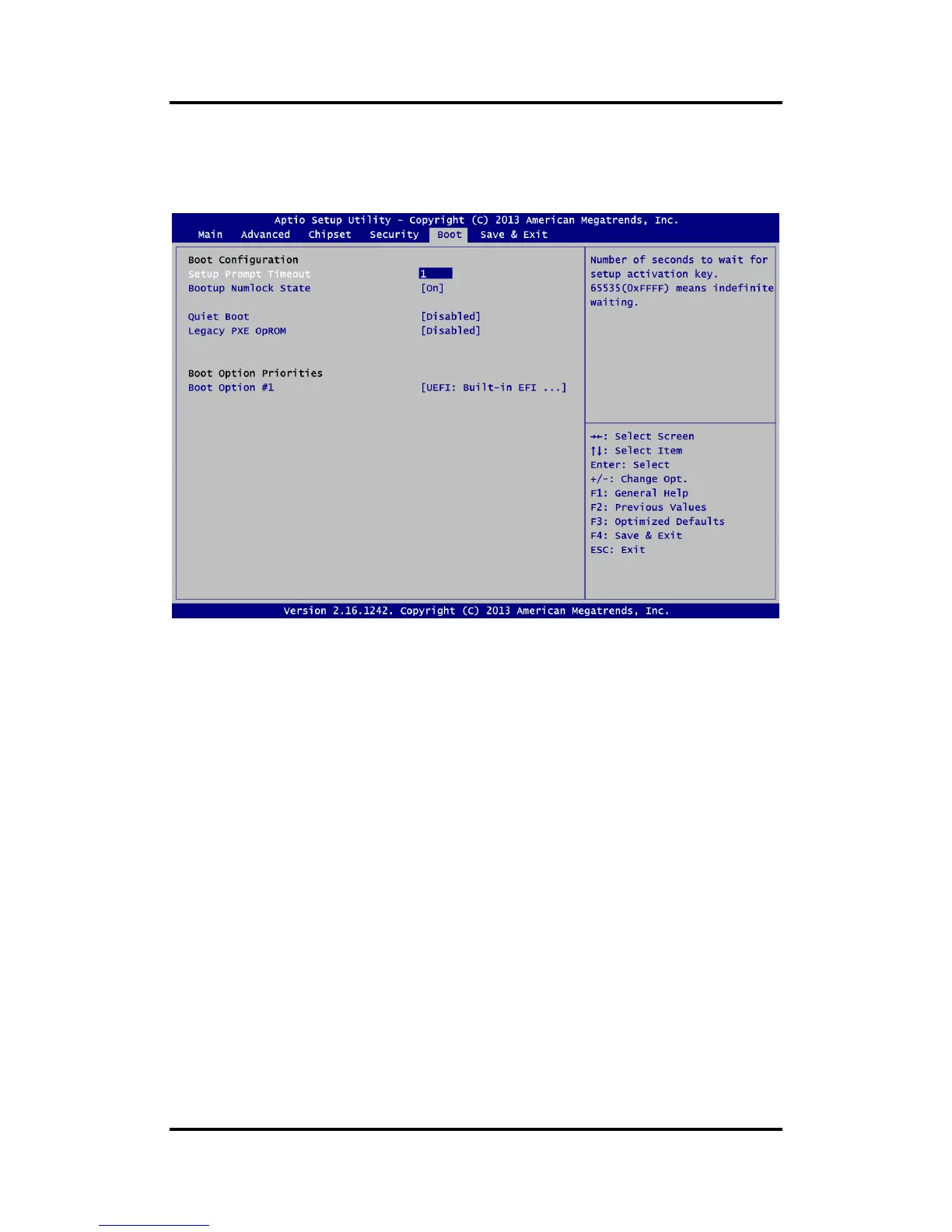
The Boot menu allows users to change boot options of the system.
Setup Prompt Timeout
Number of seconds to wait for setup activation key. 65535(0xFFFF) means indefinite
waiting.
Bootup NumLock State
Use this item to select the power-on state for the keyboard NumLock.
Quiet Boot
Select to display either POST output messages or a splash screen during boot-up.
Launch PXE OpROM
Use this item to enable or disable the boot ROM function of the onboard LAN chip when
the system boots up.
Boot Option Priorities [Boot Option #1, …]
These are settings for boot priority. Specify the boot device priority sequence from the
available devices.


 To Next Page