USER MANUAL 43
_________________________________________________________________________________________________________________
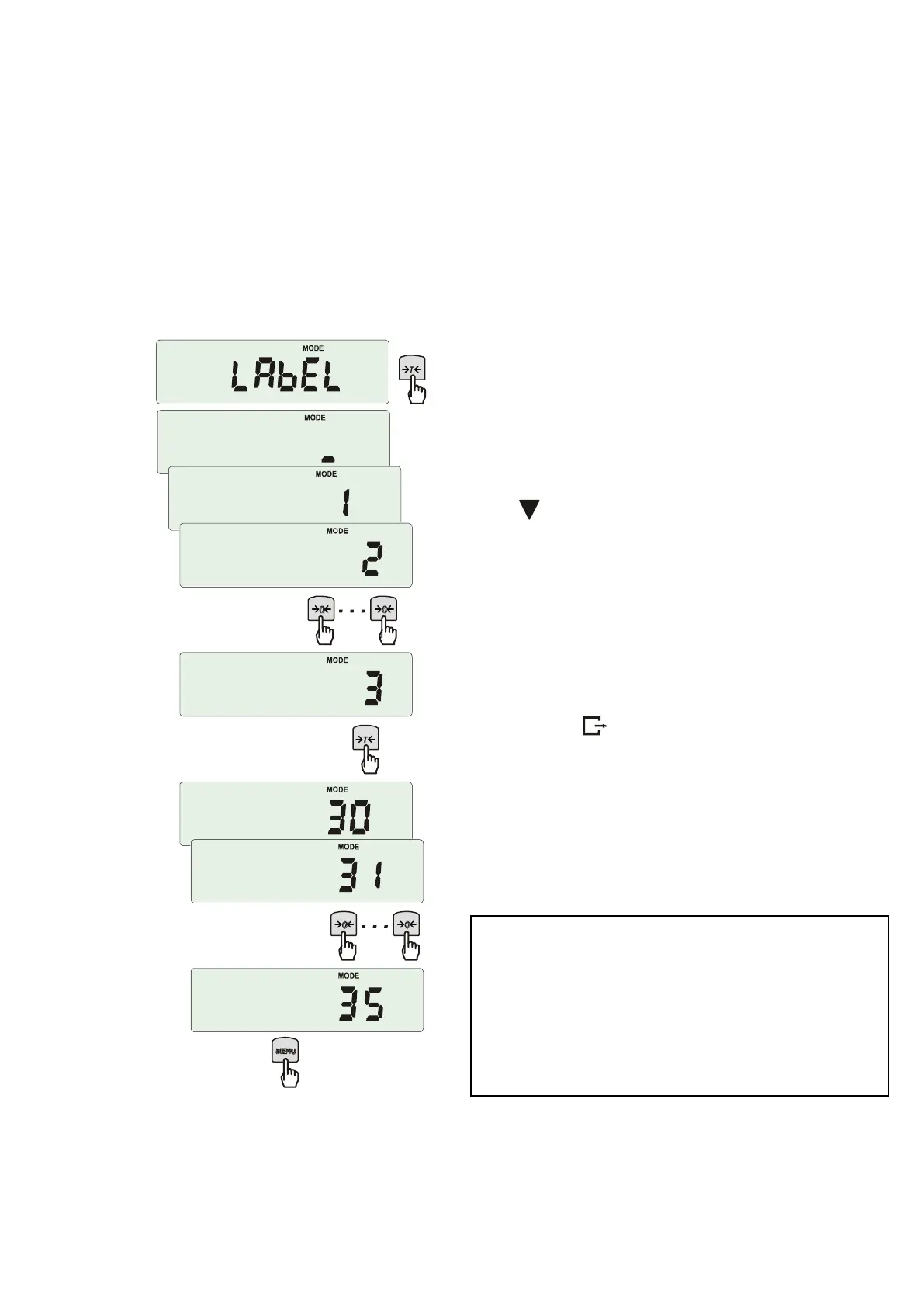
18.4 Label choosing function (LAbEL)
This function is used in scale with ELTRON (SErIAL function) data protocol. This protocol enables label
printout with actual scale indication and chosen data from PrInt special function (variable data), for
example date and time. Other data, for example company address, product name, barcode can appear on
label as a constant text. Label patterns with number (4 digit) used by user should be saved in scale
memory according to printer manual. Label pattern choice is made by inscribing label number using LAbEL
function.
Press MENU button.
When LAbEL is displayed press
T
key.
Actual label number will show.
To enter new label number press
T
key,
to exit function without number change press
MENU.
To inscribe label number use keys:
- digit increase,
T
- next digit,
MENU – end.
After entering label number, putting load and
pressing key will cause sending data to
label printer.
Data format sent to label printer (label nr 1,
language EPL-2):
US (55 53 0D 0A)
FR"0001" (46 52 22 30 30 30 31 22 0D 0A)
? (3F 0D 0A)
00:00 (30 30 3A 30 30 0D 0A)
2000.00.00 (32 30 30 30 2E 30 30 2E 30 30 0D 0A)
10 g (20 20 20 20 20 31 30 20 20 67 0D 0A)
P1 (50 31 0D 0A)



 To Next Page