10
• Rotate “VOL knob to right or left” to select the desired directory.
• Press “VOL” knob again. The directory is xed and the rst le name is displayed.
• Rotary “VOL knob to right or left” to select the required le.
• Press “VOL” knob again. The selected song will now play.
Connecting to a Portable MP3 Player
26. FRONT AUX IN
This unit is compatible with the audio output of iPod and other MP3 Players. The front “AUX IN”
input jack allows easy connection of Portable Media such as iPod or other MP3 Players via the USB or
3.5mm Stereo Jack.
More AUX input:
Additional auxiliary RCA input jacks on the back of the unit can be used to connect other external audio
sources such as a DVD player, Game Console and other portable audio device.
27. USB PORT
Use a USB cable to connect your portable MP3 Player.
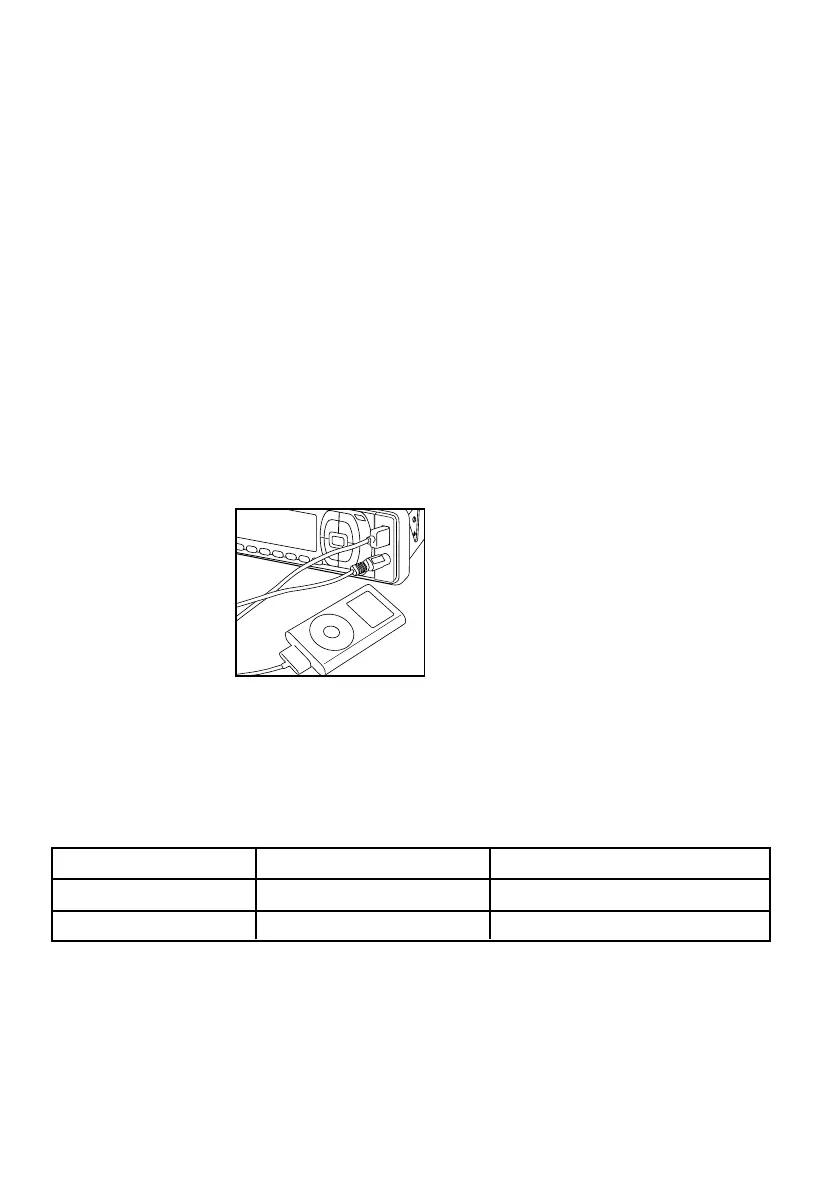
Connecting iPOD
Connect iPOD portable devices and play songs through the car stereo. Not all iPOD features may be sup-
ported.
How to connect iPOD
Playing Songs in iPOD
Tunes in iPOD can be played once the cable is properly connected.
1. Press
MODE until USB-DRIV > I-POD shows in the display.
2. Press and hold
A/PS.
3. Rotate
VOL to select PLAYLIST - ARTIST - ALBUM - GENRE - SONG - COMPOSER - TRACK.
4. Press
VOL.
If you are aware of iPOD operating functions, the way to use this car stereo feature is basically the same. Take
note of the equivalent key function below.
Note:
Please refer to your iPOD user manual for operating instructions.
Press A/PS to go back to Main Menu.
Car Stereo iPOD Function
Rotate VOL knob Rotate CLICK WHEEL Up/down category/le browsing
Press VOL knob Press SELECT button Selecting a category/Play song
Car Stereo and iPOD equivalent key function



 To Next Page