6
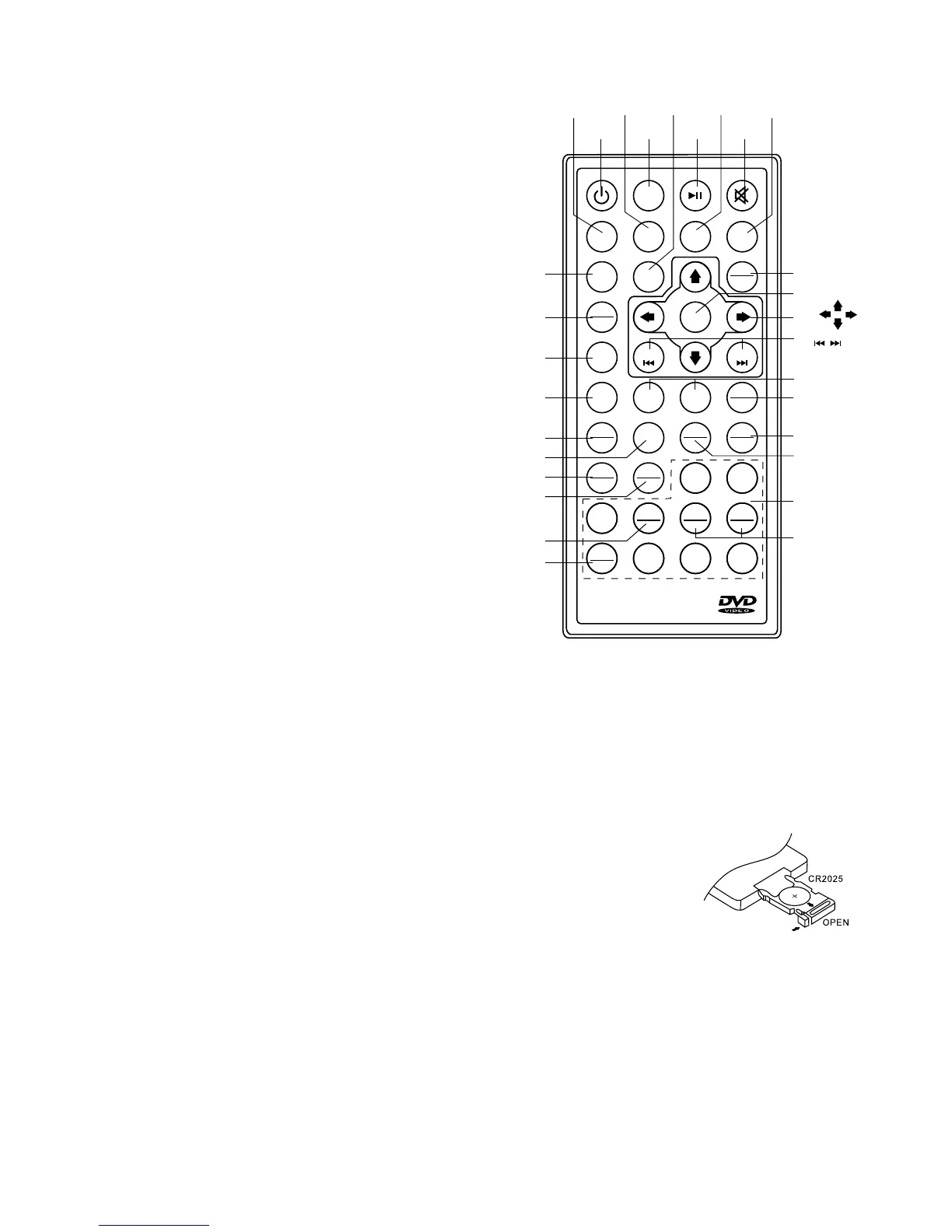
LOCATION OF FUNCTIONS (Remote Control)
1. POWER ON/OFF
2. MODE
3. PLAY/PAUSE
4. TITLE
5. SELECT
6. SEEK+/SEEK- / CD TRACK/SEARCH
7. VOL +/VOL-
8. GOTO
9. AUDIO
10. ENTER
11. NAVIGATION
12. AUTO SEEK / PRESET SCAN / REPEAT
13. RANDOM / BAND / LOUDNESS
14. DUAL
15. INTRO / PROGRAM
16. SUBTITLE
17. SETUP
18. EQUALIZER / ANGLE
19. SLOW MOTION
20. ZOOM / A-B REPEAT
21. STEREO/MONO / STOP
22. CLOCK / ON SCREEN DISPLAY
23. MUTE
24. MAIN MENU / PLAYBACK CONTROL
25. STEP (FRAME BY FRAME PLAYBACK)
26. PAL / NTSC SYSTEM
27. 10 TRACK SEARCH DOWN/UP
28. TWO DIGIT TRACKS SEARCHS
29. KEYPAD
Use and care of the remote control - Installing the battery
Slide the tray out of the back of the remote control and insert the battery with the (+) and minus (-) poles
pointing in the proper direction.
• When used for the rst time, remove the protective lm protruding from the tray.
CAUTIONS
• Remove the battery if the remote control is not used for a month or longer.
• Do not recharge, disassemble, heat or dispose of the battery in a re.
• In the event of battery leakage, wipe the remote control completely clean and
install a new battery
• When disposing of used batteries, please comply with government regulations
and environmental guidelines.
• Carefully check polarity of the battery when inserting. (+) / (-) poles.
Using the remote control
Point the remote control in the direction of the front panel to operate.
IMPORTANT
• Do not store the remote control in high temperature or direct sunlight.
• Do not let the remote control fall onto the oor, where it may become jammed under the brake or
accelerator pedal.



 To Next Page