EasyManua.ls Logo

Axis AX-906 - To Support the Unit; Wire Connection; Fuse Replacement

Axis AX-906
16 pages
Print Icon
To Next Page IconTo Next Page
To Previous Page IconTo Previous Page
Loading...
3
GREY +
GREY/BLACK
FRONT RIGHT
SPEAKER
VIOLET +
VIOLET/BLACK
REAR RIGHT
SPEAKER
FRONT LEFT
SPEAKER
REAR LEFT
SPEAKER
+ WHITE
– WHITE/BLACK
+ GREEN
– GREEN/BLACK
ISO A/B PLUG
POWER ANTENNA
BLUE
IGNITION SWITCH (B+)
RED
MEMORY (BACK UP)
YELLOW
BLACK
GROUND (–)
WHITE (-)
GREY (+)
PARKING
SUBWOOFER
BLACK
TEL MUTE
RED GREEN
YELLOW
BACK GEAR
CONTROL
LINE OUT
LINE OUT
ANTENNA
CONNECTOR
FRONT
REAR
AUDIO OUT
CAMERA IN
VIDEO IN
VIDEO OUT 1
VIDEO OUT 2
L
L
R
R
L R
ISO CONNECTOR
B
A
1
2
3
4
5
6
7
8
4
5 7
8
CONNECT iPod
WHITE (L)
RED (R)
AUDIO LINE IN
BLACK
GREY +
GREY/BLACK –
FRONT RIGHT
SPEAKER
VIOLET +
VIOLET/BLACK –
REAR RIGHT
SPEAKER
FRONT LEFT
SPEAKER
REAR LEFT
SPEAKER
+ WHITE
– WHITE/BLACK
+ GREEN
– GREEN/BLACK
ISO A/B PLUG
POWER ANTENNA
BLUE
IGNITION SWITCH (B+)
RED
MEMORY (BACK UP)
YELLOW
BLACK
GROUND (–)
WHITE (-)
GREY (+)
PARKING
SUBWOOFER
BLACK
TEL MUTE
RED GREEN
YELLOW
BACK GEAR
CONTROL
LINE OUT
LINE OUT
ANTENNA
CONNECTOR
FRONT
REAR
AUDIO OUT
CAMERA IN
VIDEO IN
VIDEO OUT 1
VIDEO OUT 2
L
L
R
R
L R
ISO CONNECTOR
B
A
1
2
3
4
5
6
7
8
4
5 7
8
CONNECT iPod
WHITE (L)
RED (R)
AUDIO LINE IN
BLACK
10
7
1
2
3
4
4
4
5
5
6
6
8
9
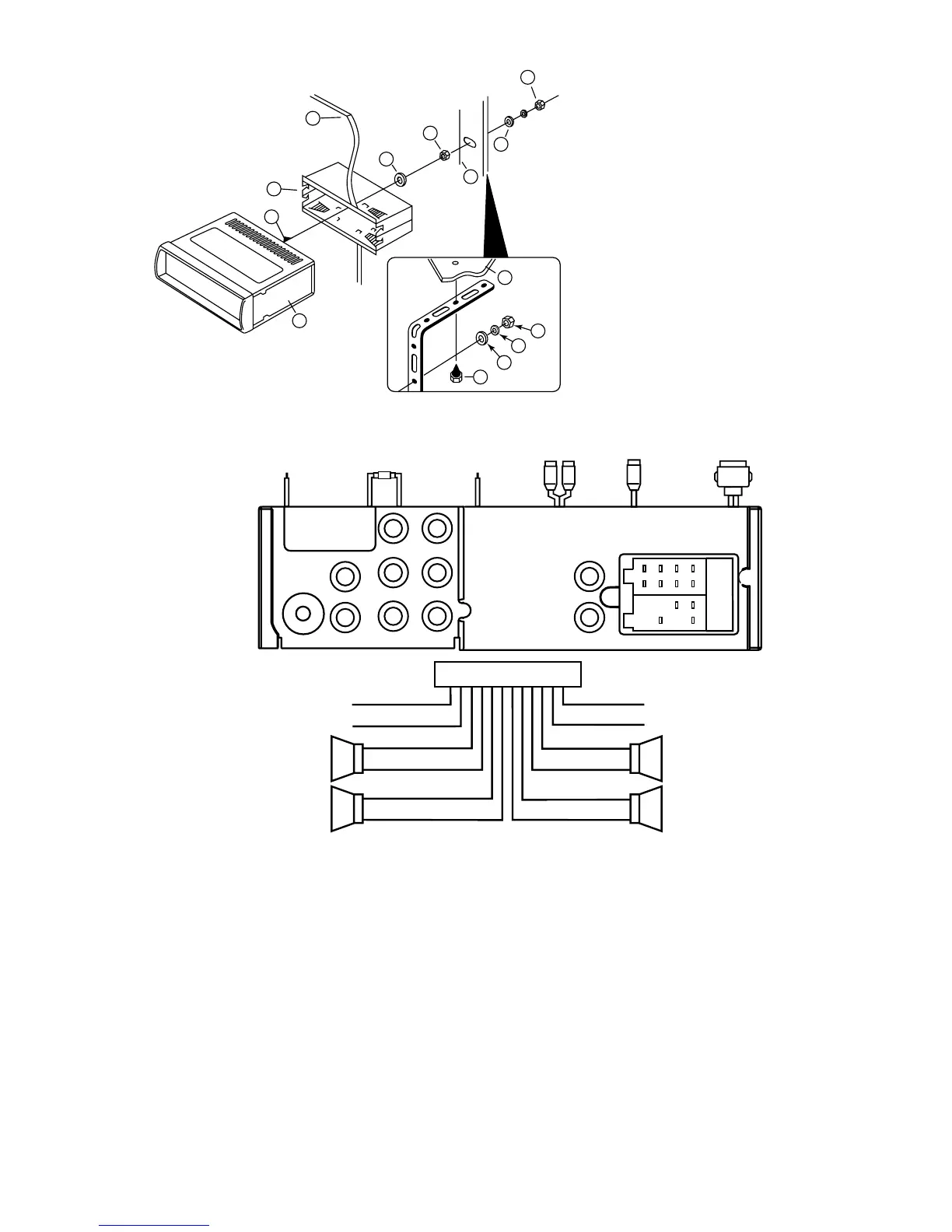
1. UNIT
2. RELEASE CASE
3. DASH
4. HEX NUT
5. LOCK WASHER
6. PLAIN WASHER
7. CAR BODY
8. REAR SUPPORT STRAP
9. TAPPING SCREW
10. M5 X 15 HEX BOLT
TO SUPPORT THE UNIT
WIRE CONNECTION
Maintenance
FUSE REPLACEMENT
If a fuse blows, check all power connections and replace with a fuse of the same amperage. If the fuse blows again
there may be an electronic or wiring fault. In this case, consult your nearest service centre. Use of a higher amperage
fuse may cause serious damage and void the warranty.
Dashboard
CONTROL WIRE
Parking (Grey) :
Connect this wire to car hand brake system
Tel mute (Black) :
Connect to mobile phone unit
When receiving calls, audio will be muted.
Rear camera (Red) :
Connect to rear camera
When reverse gear is selected, this 12Volt cable
should be powered through the reversing light circuit.
IN / OUT CONNECTOR
2 Video Outputs (Yellow) :
Connect to external A/V system to display
Video In (Yellow) :
Connect to external Video equipment
Rear camera In (Blue) :
Connect to rear camera output
RCA DVD Audio Output
RCA Line Output (Front/Rear): L (White) R (Red)
RCA Line Input (Black): L (White) R (Red)
Subwoofer Output (Green): Plug (Yellow)
iPod Cable (White):
Connect to iPod player


Related product manuals