8
RESET
Reset button is placed on the front housing. To reset, use a pointed object to press and hold the RESET button
for 2 seconds. The reset button is to be activated for the following reason:
• Initial installation of the unit when all wiring is complete.
• No buttons function.
• Error symbol on the display.
LISTENING TO RADIO
Band (BD)
Pressing this key repeatedly will toggle between each band. FM1--FM2--FM3--AM1.
Stereo / Mono (ST)
Press ST button on remote control to switch between stereo and mono sound for FM radio reception. When
reception of an FM station is weak, listening quality can be improved by switching to mono sound.
Automatic or Manual tuning (SEEK + / SEEK –)
When pressed, these keys are operated as MANUAL tuning mode.
When pressed longer than 1 second they are operated as AUTOMATIC tuning mode.
Auto Seek/Preset scan (AS/PS)
Preset Scan (PS) - By pressing, the radio plays each preset station for 5 seconds.
Auto Seek (AS) - By pressing longer than 1 second auto seek is activated. The 6 strongest stations are preset
and stored in the corresponding preset number. When Auto Seek operation is nished, the radio executes the
preset scan.
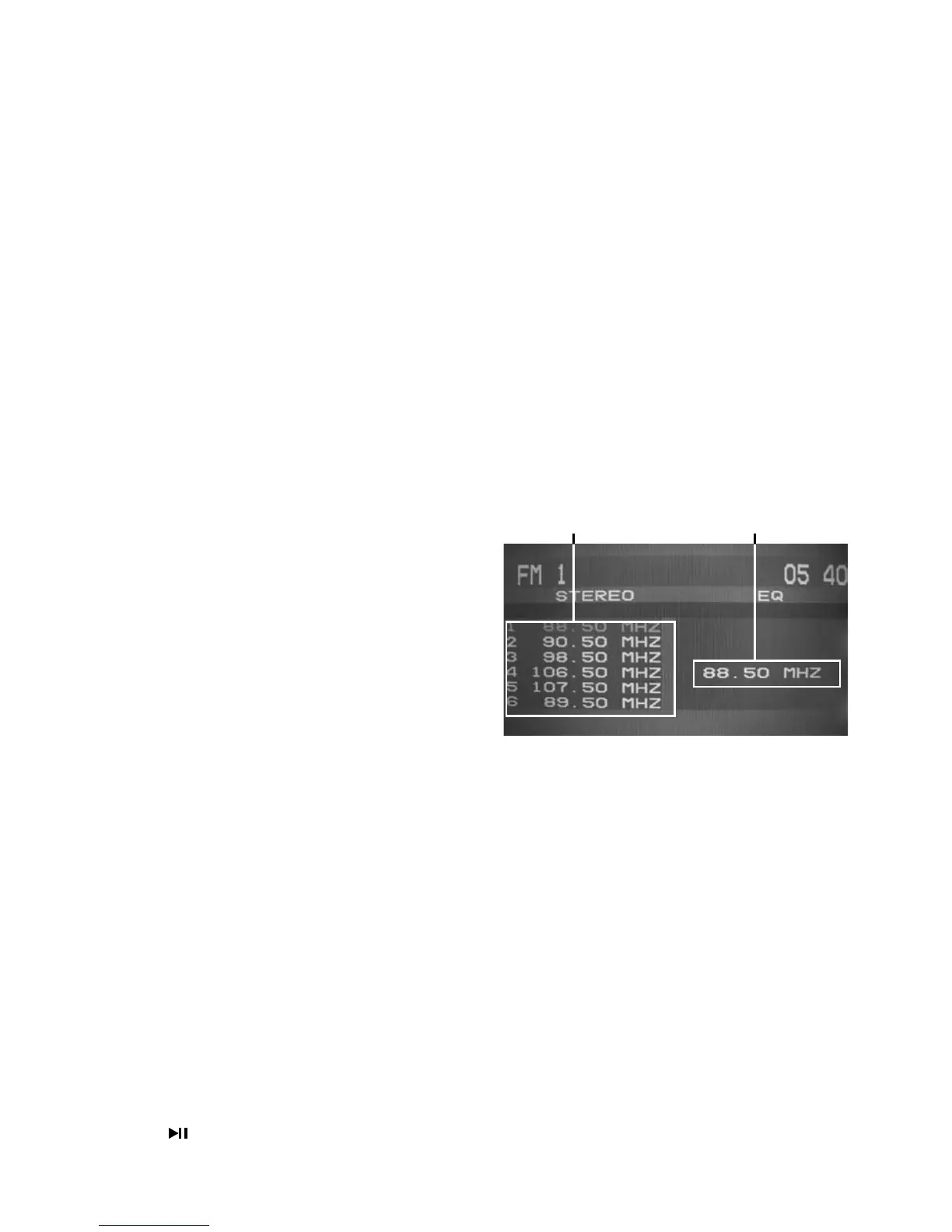
Storing and Recalling Frequencies
By pressing any of the preset buttons NUMBER (1-6) up
to six broadcast frequencies can be easily stored for later
recall at the touch of a button.
1. Choose a desired BAND.
2. To store a desired frequency, press NUMBER(1-6) and
hold until the preset number shows on the LCD.
3. The selected radio station frequency has been
stored in memory. The next time you press the
same NUMBER (1-6) the radio station frequency is
recalled from memory.
Note: Up to 18 FM / 6 AM stations can be stored in the
memory.
OPERATIONS COMMON FOR CD/MP3/VCD/DVD/MP4
-10 Tracks Down / +10 tracks Up
1. Press -10 button to jump 10 tracks backward starting from currently played track.
2. Press
+10 button to jump 10 tracks forward starting from currently played track.
Specifying particular track
During playback, all track le names under a folder will be displayed on the screen with their corresponding
track number. Use the navigation keypad on the remote control to access the le.
Tips:
To select track 3, press 3.
To select 13, press and hold 10+ follow by 3.
To select 23, press and hold 10+ (2 times) follow by 3.
Random Playback
Press RDM during playback to play the tracks in random/shufe order. Press again to cancel.
Stopping Playback
1. Press
Stop on remote control during play to stop playback. That position is stored in memory.
2. Press
continue. Play starts from the position at which it was stopped.
3. To permanently stop playback, press
Stop button twice.
Preset Memory Station 1-6 Currently Tuned Station



 To Next Page