7
GENERAL OPERATIONS
Turning the unit ON/OFF ( )
Press “ ” button to turn on. To turn off, press and hold the button again.
Selecting a source (MODE)
Continue pressing MODE to switch between TUNER, CD/DVD, AUX IN, USB or SD/MMC mode.
Loading a Disc
1. Press
REL to open the front panel
2. Insert a disc into the disc loading slot
Ejecting a Disc
Press button to eject disc
Adjusting Volume
• Head Unit: Rotate
VOL knob right or left to increase or decrease volume.
• Remote Control: Press
VOL+ or VOL- to increase or decrease volume.
Mute Button
• Head Unit: Press
MUTE button to mute the sound. Press again to return to previous volume level.
• Remote Control: Press
button.
Loud Button (LD)
Press and hold LD button to turn on/off LOUD feature.
Equalizer (EQ)
Press EQ to select between Flat – Class – Rock – Pop -- EQ equalizer modes.
CLOCK
1. Press and hold
CLK button on remote control. Hour starts blinking.
2. Rotate
VOL knob to set hour. Press CLK knob, minutes start blinking.
3. Rotate
VOL knob to set minutes. Press VOL knob to save.
DUAL SETTINGS
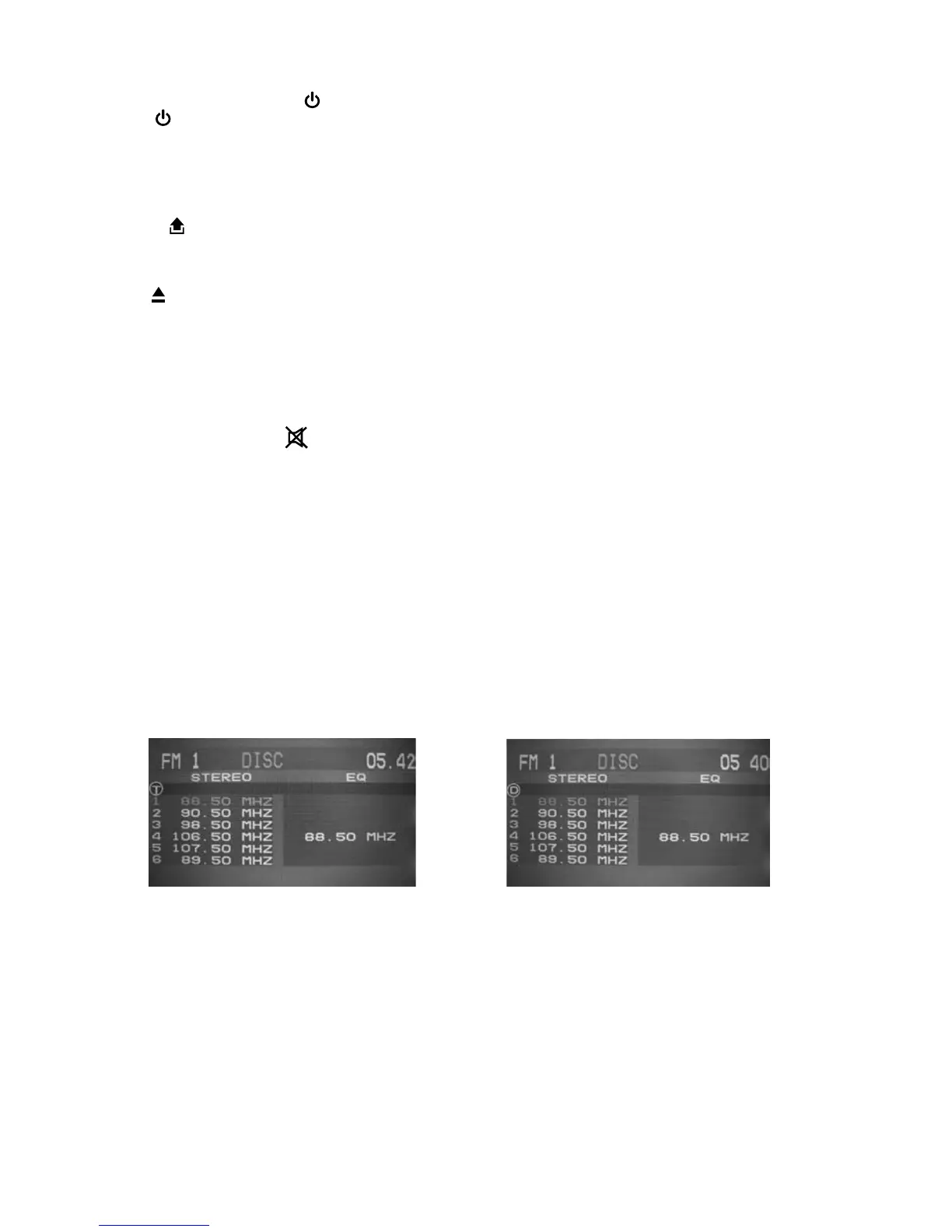
DUAL is a feature that lets user control the external AV device and the head unit. For example, the driver can
listen to radio while passengers at the back can watch a DVD. This unit supports connection of external AV
devices such as DVBT or portable TV through the AUDIO OUT and VIDEO OUT port.
Controlling TUNER Controlling DISC
1. Connect the AUDIO OUT and VIDEO OUT port at the back of head unit to the LINE IN of external AV
device.
2. Press and hold
MODE. DISC will display on top of screen.
3. Press
DUAL key on remote control to select mode to be controlled.
T = TUNER, D = DISC
4. Refer to Radio and DVD sections on how to operate other features applicable to each mode.
Note: An external LCD Monitor or TV will need to be connected when using this feature.
When DUAL mode is set to control DISC(D), the volume control of the head unit has no function. Volume
can be controlled through the display device.



 To Next Page