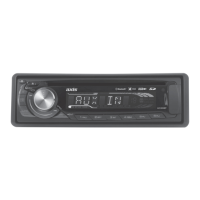
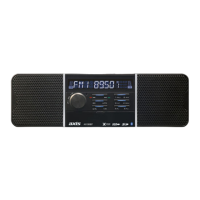
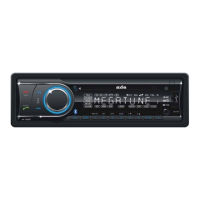
AX1401
SPECIFICATIONS:
GENERAL:
Detachable Face Panel
Ultra Memory Power Backup
LCD Display
Illuminated Controls (Blue)
ISO DIN Mounting
ISO Wiring Harness
Includes 300mm AUX-In Cable (3.5mm Plug)
Dimensions: (Chassis) 178Wx50Hx158D mm
(Nose Piece) 188Wx58Hx20D mm
12 Volt DC (10.8-15.6V) Negative Ground
CD PLAYER:
Auto Load / Eject
Supports MP3/WMA/CD/CDR/CDRW Formats
Electronic Shock Protection
Intro / Repeat / Random Play / Track Up-Down
Select Folder / Track / File Search / Pause
MP3 ID3 Tag Display
MULTIMEDIA:
AUX-IN: Front Panel
USB Port: Front Panel
SD-MMC Ports: Behind Front Panel
Compatible with audio output of most MP3 Players
DESIGNED FOR AUSTRALASIAN CONDITIONS
TUNER:
PLL Synthesized AM/FM Stereo
Xtreme Long Range Tuner
FM 87.5~108 MHz; AM 522~1710 KHz
Interference Absorption Circuit
30 Station Presets - 18FM / 12AM Memory
Station Seek / Preset Scan / Auto Store
Automatic or Manual Tuning
Mono / Stereo
Local / Distant Control
Digital Clock
AUDIO CONTROL:
Rotary Encoder
Electronic Volume / Balance / Bass / Treble / Fader
Loud / Mute
Beep Adjustment
4-Band DSP Settings
Speaker Impedance 4-8 Ohms
Max Power 40 Watts x 4 Ch
2 Ch RCA Line In
2 Ch RCA Line Out - 5 Volt (Max)
Subwoofer Line Out - 4 Volt (Max)
CD/MP3 MULTIMEDIA PLAYER RECEIVER
• FRONT PANEL AUX-IN • USB/SD-MMC Ports
• Subwoofer Output • ‘Ultra Memory’


 To Next Page
 General