EasyManua.ls Logo

Axis AX1507BT - User Manual

Axis AX1507BT
28 pages
Print Icon
To Next Page IconTo Next Page
Loading...
2
WARRANTY
YEAR
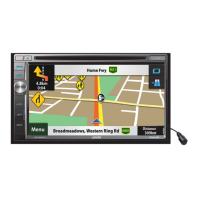
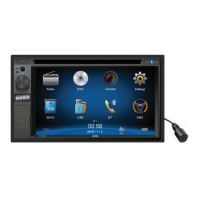
Designed as a complete vehicle
infotainment system, integrating
an array of technologies &
media sources. The generous
2-DIN 6.2” LCD touchscreen user
interface is combined with exciting
functions including Bluetooth.
AX1507BT
6.2” 2-DIN TOUCHSCREEN DVD/
MULTIMEDIA PLAYER with BLUETOOTH
• 6.2 Inch LCD Display
• Reversing Camera Input
• Bluetooth HF + Audio
GENERAL
- 6.2” WVGA Digital TFT LCD (800 X 480 Pixels)
- Multi-core Processor
- WinCE 6.0 Operating System
- Touchscreen Control
- Dynamic Graphic User Interface
- ISO 2-DIN Mounting
- ISO Wiring Harness
- RCA Ch Line Out - Front, Rear & Subwoofer
- 1 Ch Video Line Out
- 2 Ch AV Line In - Rear
- Reverse Camera Input (Rear)
- Steering Wheel Control (Programmable)
Internal Analogue Module
- 10.5 - 15.8V DC Voltage
- Speaker Impedance 4-8 Ohm
- Max Power 4 Ch x 40 Watts
- Dimensions: 178W x 100H x 165D mm
AUDIO CONTROL
- Rotary Volume Encoder
- 3 Band EQ
- Loud / Mute
TUNER
- PLL Synthesized AM/FM Stereo
- Xtreme Long Range Tuner
- Interference Absorption Circuit
- FM 87.5-108 MHz; AM 531-1701 KHz
- 30 Station Presets
- 18FM/12AM Memory
- Station Seek/Scan/Auto Store
- Local/Distant Control
- Digital Clock/12/24 Hour Mode
MULTIMEDIA
- USB Input - Front Panel
- AVI*/DIVX*/MPG/MP4*/MP3/WMA/
JPEG
- SD/MMC Card Port
- AUX-IN Socket - Front Panel (3.5mm)
- RCA AUX-IN - Rear
- Video RCA OUT - Rear
- Video RCA IN - Rear
- Camera Input - Rear
INCLUDED
- External Microphone
- ISO Wiring Harness
BLUETOOTH
- Bluetooth in Handsfree Mode
- External Microphone
- Phone Contacts / History
- Dial Pick-Up/Call Transfer
- A2DP Audio Streaming
- AVRCP Control
DVD/CD PLAYER
- Supports DVD/VCD/CD/MP3/DIVX*/JPEG
- Supports DVD±R/DVD±RW/CD-R/RW
- Electronic Shock Protection
- Zoom/Multi-Angle/Last Position Memory
- Go to/Repeat/Random Play/Track Up-Down
- Select Folder/Track/File Search
*Some formats may not be supported
- refer to page 23
DVD/CD/MP3 LCD MONITOR
SCREEN
USB/SD
+
STEERING WHEEL
CONTROL
BLUETOOTH

Questions and Answers

  • J
    Joshua MartinezSep 4, 2025
    Why can't I insert a disc into my Axis AX1507BT?
    • C
      carlos02Sep 4, 2025
      If you cannot insert a disc into your Axis Car Stereo System, it's possible that a disc is already inside the unit. Eject the current disc before attempting to insert a new one.
  • M
    Megan OlsonSep 18, 2025
    Why do blue lights flash when turning on my Axis Car Stereo System?
    • W
      William WuSep 18, 2025
      If you notice blue lights flashing when turning on your Axis Car Stereo System, especially in vehicles like trucks using a voltage reducer, it indicates a low amperage supply. To resolve this, use a higher amperage voltage converter (15A).
  • T
    thomaskimberlySep 16, 2025
    What does 'Region error' mean on my Axis AX1507BT Car Stereo System?
    • T
      timothy75Sep 16, 2025
      If you are getting a region error on your Axis Car Stereo System, it means that the DVD region code is not compatible with this unit. Use a disc with a compatible region code.
  • G
    Gerald CoxSep 14, 2025
    What does 'Unknown disc' mean on my Axis AX1507BT?
    • N
      Natalie StrongSep 14, 2025
      If your Axis Car Stereo System displays 'Unknown disc', it means that the disc format is not compatible with the unit. Use a disc with a compatible format.
  • B
    barryjonesSep 12, 2025
    Why PBC cannot be used during VCD playback on my Axis AX1507BT Car Stereo System?
    • M
      michelelittleSep 13, 2025
      If PBC cannot be used during VCD playback on your Axis Car Stereo System, it means that PBC is not available on the disc. To use PBC, you need to use a disc that supports it.
  • D
    Dylan KnightSep 12, 2025
    Why is the repeat or search function invalid during VCD playback on my Axis Car Stereo System?
    • K
      Kevin SnyderSep 12, 2025
      If the repeat or search function is invalid during VCD playback on your Axis Car Stereo System, it's likely because PBC (Playback Control) is turned on. Turn PBC off to enable these functions.
  • C
    Cynthia SmithSep 9, 2025
    What does 'Bad disc' mean on my Axis AX1507BT Car Stereo System?
    • D
      David SantiagoSep 9, 2025
      If your Axis Car Stereo System indicates 'Bad disc', it could be due to the disc being dirty. Clean the disc with a soft cloth. Also, ensure that the disc is inserted correctly, with the label side up.
  • J
    james16Sep 7, 2025
    Why does my Axis Car Stereo System say 'No disc'?
    • V
      Veronica WilliamsSep 7, 2025
      If your Axis Car Stereo System displays 'No disc', it could be due to several reasons. The disc might be dirty, so try cleaning it with a soft cloth. Ensure the disc is inserted correctly, with the label side up. Also, make sure there is actually a disc inside the unit; if not, insert one.
  • D
    Dennis CallahanSep 5, 2025
    What causes Tel-Mute malfunction in my Axis Car Stereo System?
    • D
      Dominique JohnstonSep 5, 2025
      A Tel-Mute malfunction in your Axis Car Stereo System can occur if the MUTE wire is grounded. To resolve this, check the ‘MUTE’ wiring and correct it.
  • K
    Kelly CooperAug 20, 2025
    How to fix Axis AX1507BT Car Stereo System when it does not power on?
    • P
      patricia09Aug 21, 2025
      If your Axis Car Stereo System doesn't power on, it might be due to a blown fuse. First, check the unit fuse and replace it with a new fuse that has the correct rating. If that's not the issue, inspect the car battery fuse and replace it if necessary, using a fuse with the correct rating. In some cases, the unit may not power on due to an illegal operation. If this is the case, try resetting the unit.

Summary

Safety Precautions

Before Using

Front Panel

Overview and description of the unit's front panel controls and ports.

Basic Operations

Playing Source Selection

How to switch between different audio/video sources.

Radio Mode

Playback Mode

Bluetooth Mode

Pair the Bluetooth-enabled Devices

Steps to connect a Bluetooth device to the unit.

Make a Call

How to initiate phone calls using the Bluetooth connection.

Settings

Other Modes

Steering Wheel Control Programming

Configuring steering wheel remote control functions.

Troubleshooting

Steering Wheel Control - Questions

Installation

Axis AX1507BT Specifications

General IconGeneral
BrandAxis
ModelAX1507BT
CategoryCar Stereo System
LanguageEnglish

Related product manuals