Display System
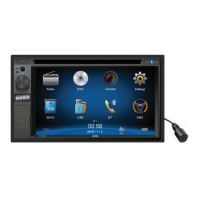
1. Touch the upper left corner to display the main menu.
2. Touch [ Settings ].
The settings menu is displayed.
Adjust General Settings
1. Touch [ General ], if necessary.
2. Touch to highlight a setting.
3. Touch to display/select an option.
4. Touch blank area of the screen to exit.
General settings Options Description
Radio region
USA/China/Japan/Europe/Europe
(LW)/OIRT
Select Europe for Australia and New Zealand
Radio range
Local
Select Local to receive only stations with extremely
strong signal.
Distance
Blackout Off/10s/20s Set the screensaver
Dimmer mode Night/Dark/Normal/Bright Adjust the display brightness.
Beep
On
Turn on the beep sound. Each time you press a button,
the unit beeps.
Off Turn off the beep sound.
Calibration Start Calibrate the touch screen.
Calibration
When the touch operation is not sensitive or valid, you should
calibrate the touch screen using the calibration setting function.
Adjust the response positions of the touch panel as followings:
1. Press the [ Calibration ] option on the setup menu to enter.
2. Touch [ Start ] to enter.
3. Press and hold the center of [ + ] for 2 seconds, the [ + ] will
move automatically.
4.
Once steps 1-5 are complete the system will automatically exit
calibrating mode.
Adjust Video Settings
1. Touch [Video].
2. Touch an option repeatedly to select.
Video settings Options Description
Parking
On Disable video when driving.
Off Enable video when driving.
When in Park “On” mode, the screen will display WARNING information if you play the video. The
warning screen will prevent the driver from watching videos when vehicle is moving.
Settings
17.


 To Next Page