Multimedia Operation
1
1. Photo
2. Music
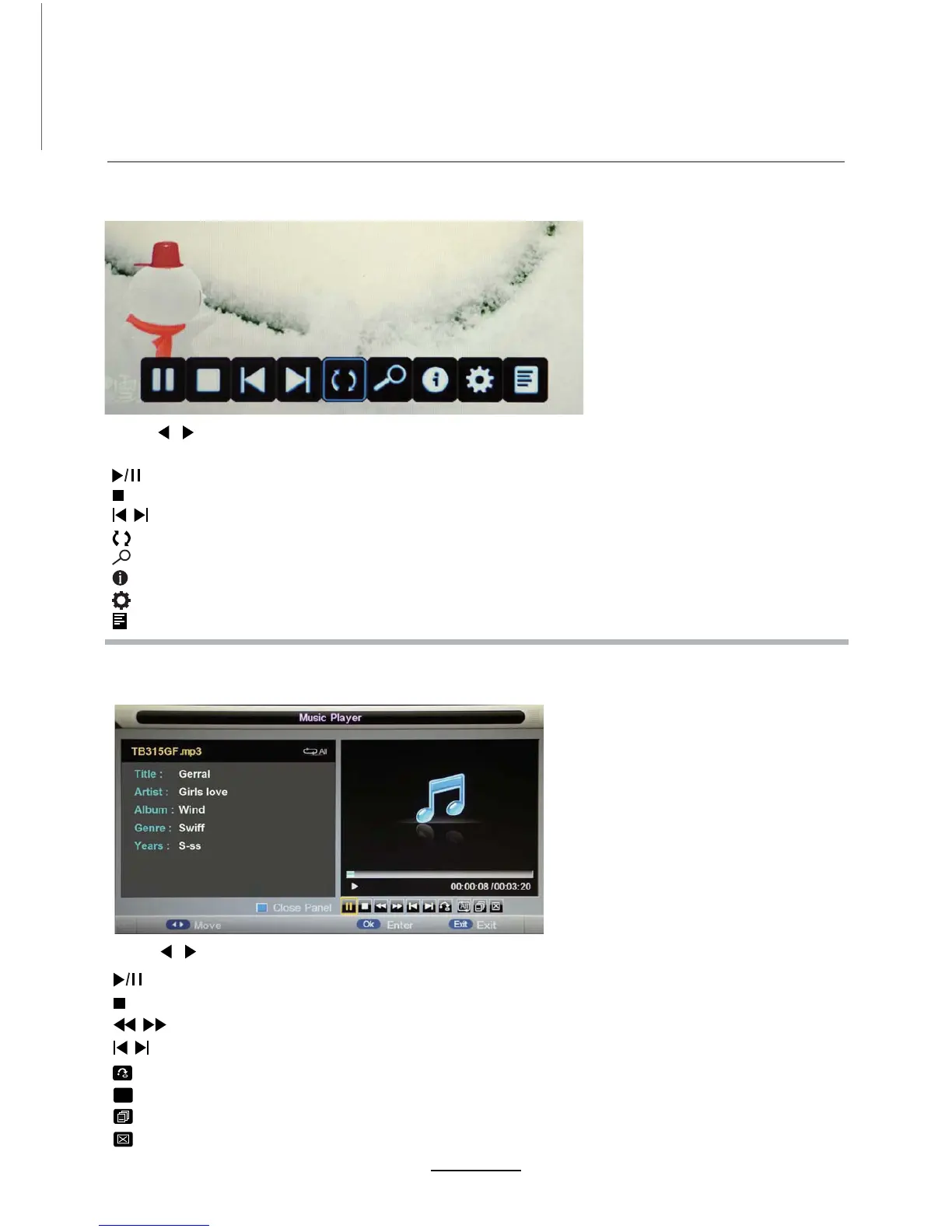
Press / button to select the option on the table, and press
Note:
3ress OK button to display the option table when it disappears.
OK button to change.
Press / button to select the option on the table, and press OK button to change.
Play the photo
Play the music
Stop and exit the full screen program.
Play the previous or next file directly.
R
Rtate the picture(0, 90, 180, 270).
Zoom in/out the picture7he picture FDQEHPRYHGbyWKH Cursor left/right/up/down button in Zoom mode.
Display the information of the current file.
Display the photo setup menu and select the Repeat mode, Background Music, Slide Time, Effect.
Display the play list.
Stop and exit the music playing.
Play fast backor forwDrd.
Play the previous or next file directly.
Select the repeat mode for playing music.
ALL
Switch the window between “Information” and “Playlist”.
Switch off the screen displaying (BLUE button as quick button)
7urned on by power button).
Play/Pause the music playing.
Play/Pause the photo playing.
Input the time and start playing directly.


 To Next Page