Recording Operation
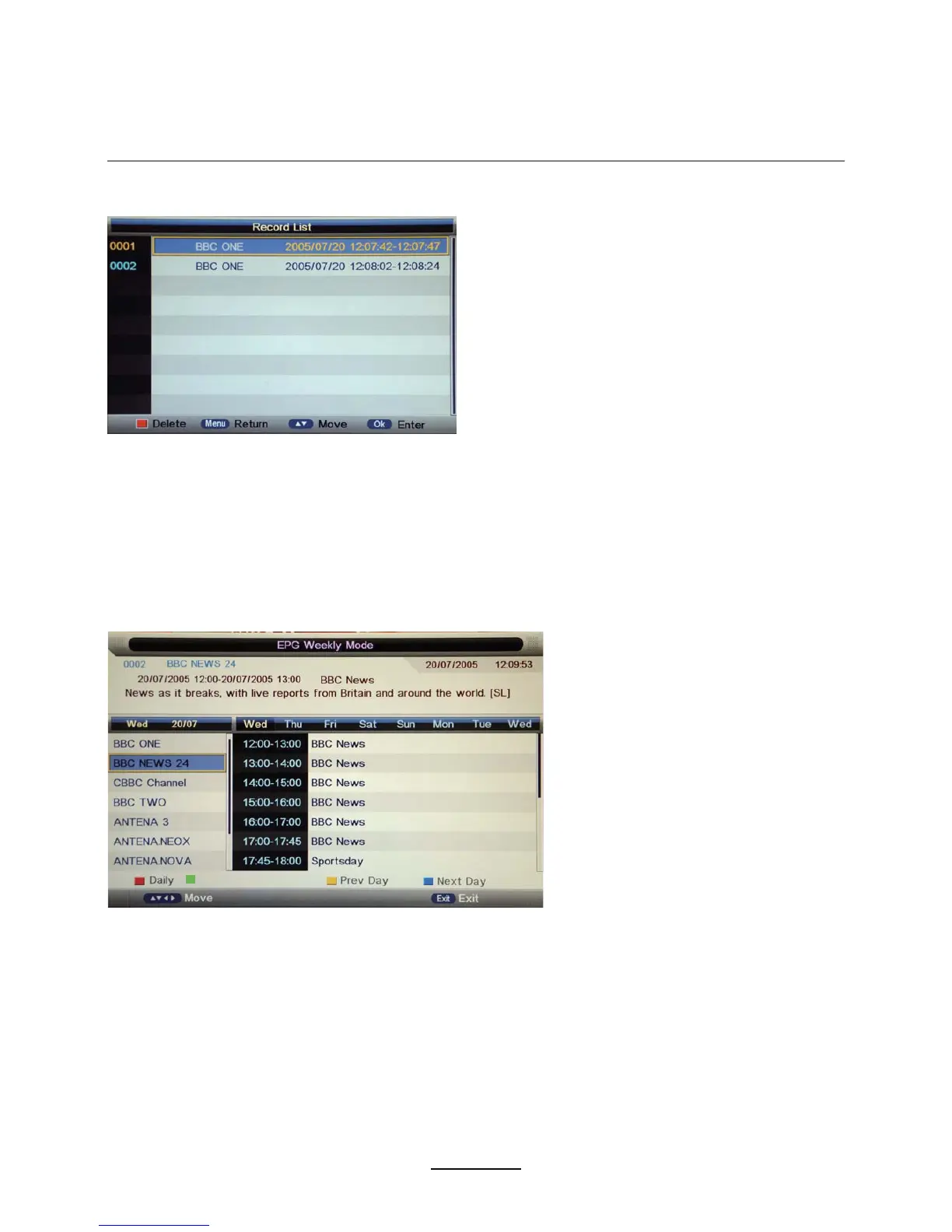
Display the Record list menu.
Delete:Press RED button to delete the selected record plan.
6). Recorder Start
PressOK button to start recording7he REC button on the remote control
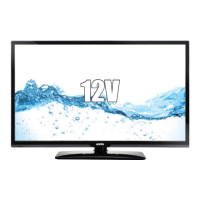
Press EPG button on the remote control to display the EPG menu.
5). Record List
EPG and Timer Record
EPG mode: Press RED button to change the EPG display mode.
Daily mode: shows the information of the programs to be broadcast in daily mode.
Weekly mode: shows the information of the programs to be broadcast in weekly mode.
Reminder: Press GREEN button once to remind the program for watching, and press GREEN button again
to remind the program for recording. &heck it in Timer menu7he TV will DXWRPDWLFDOO\record the
program according to your settings .
Previous/Next Day: Press YELLOW/BLUE button to display the programs on previous or next day.
2
Reminder


 To Next Page