DVD Operation
and Preference Page.
and enter the next Sub-Menu
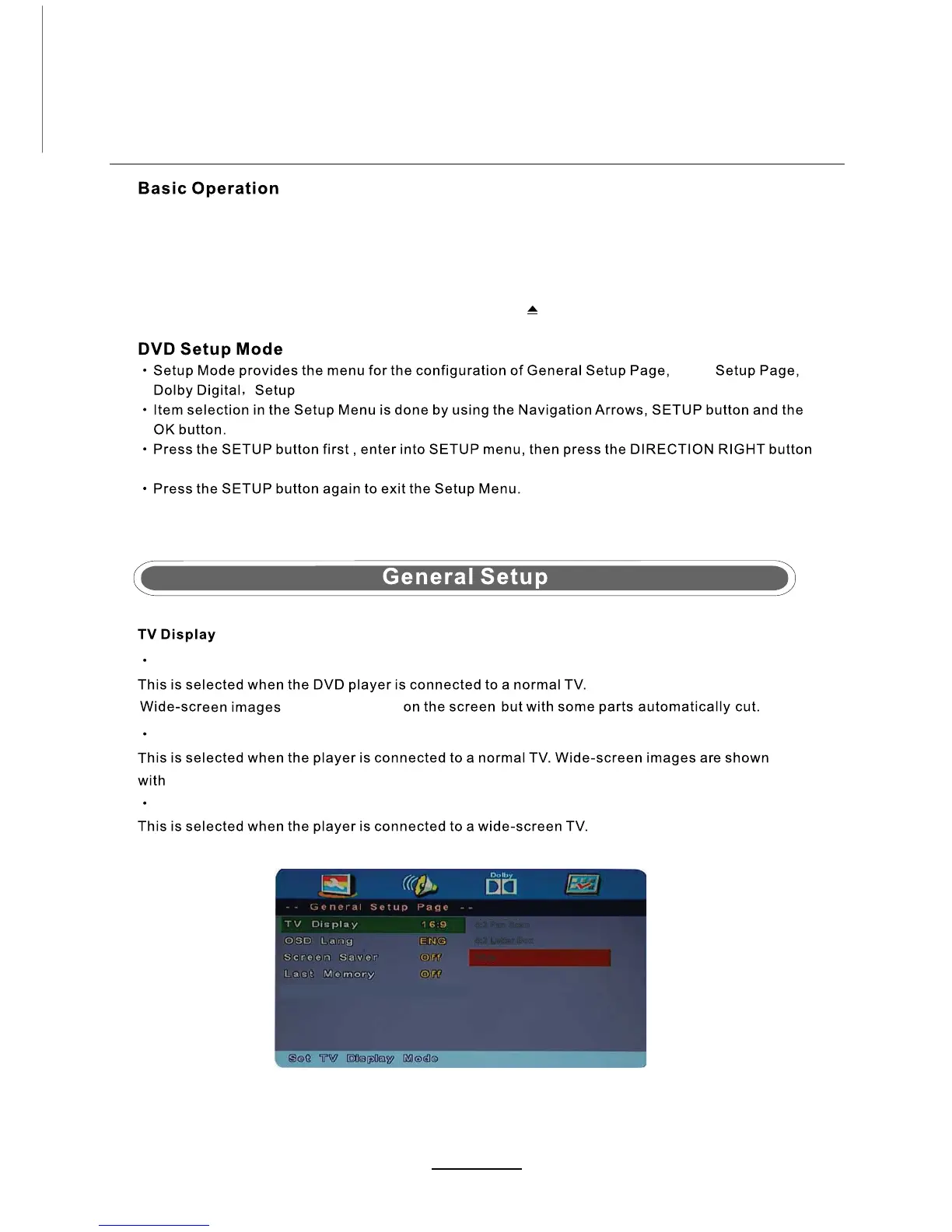
4:3 Pan Scan
will still be shown
4:3 Letter Box
a black stripe on the top and bottom of the screen.
Wide
Press the Power button on theTV or the remote control, then press the SOURCE button to select DVD mode.
If there is no disc in the DVD player the screen will show "NO DISC".
Insert Disc ZLWKWKHZRUGHGVXUIDFHIDFLQJ\RX.
Do not touch the playing surface.
Hold the disc around the outside with your fingers and place the disc into the slot.The player will
automatically draw the disc into the player.
To "Eject" the disc, press the EJECT button on theTV or the " " button on the remote control.
Audio
4:3 Pan Scan
4:3 Letter Box
Wide
2


 To Next Page