10
The CHANNEL List in Satellite Source
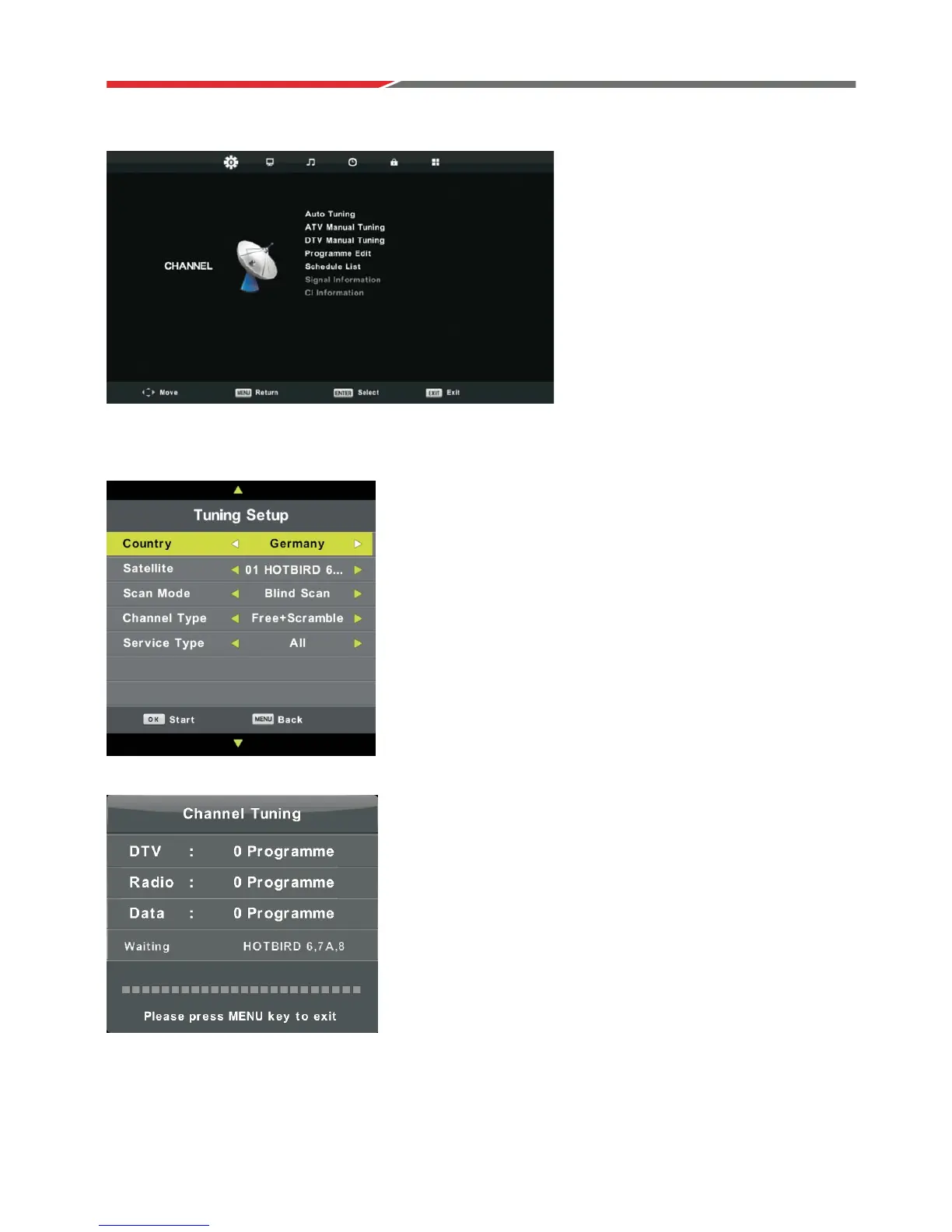
Auto Tuning
Press button to select Auto Tuning, then press ENTER / ŹEutton to enter.
Press MENU button to open the main menu.
Highlight “Channel” using navigation buttons and press OK to enter.
Then highlight “Auto Tuning” and press OK to enter.
Country: Select your country.
Satellite: Select an available satellite.
Scan Mode: Select your scan mode.
Channel Type: Select a channel type.
Service Type: Select a service type.
źŸ



 To Next Page