22
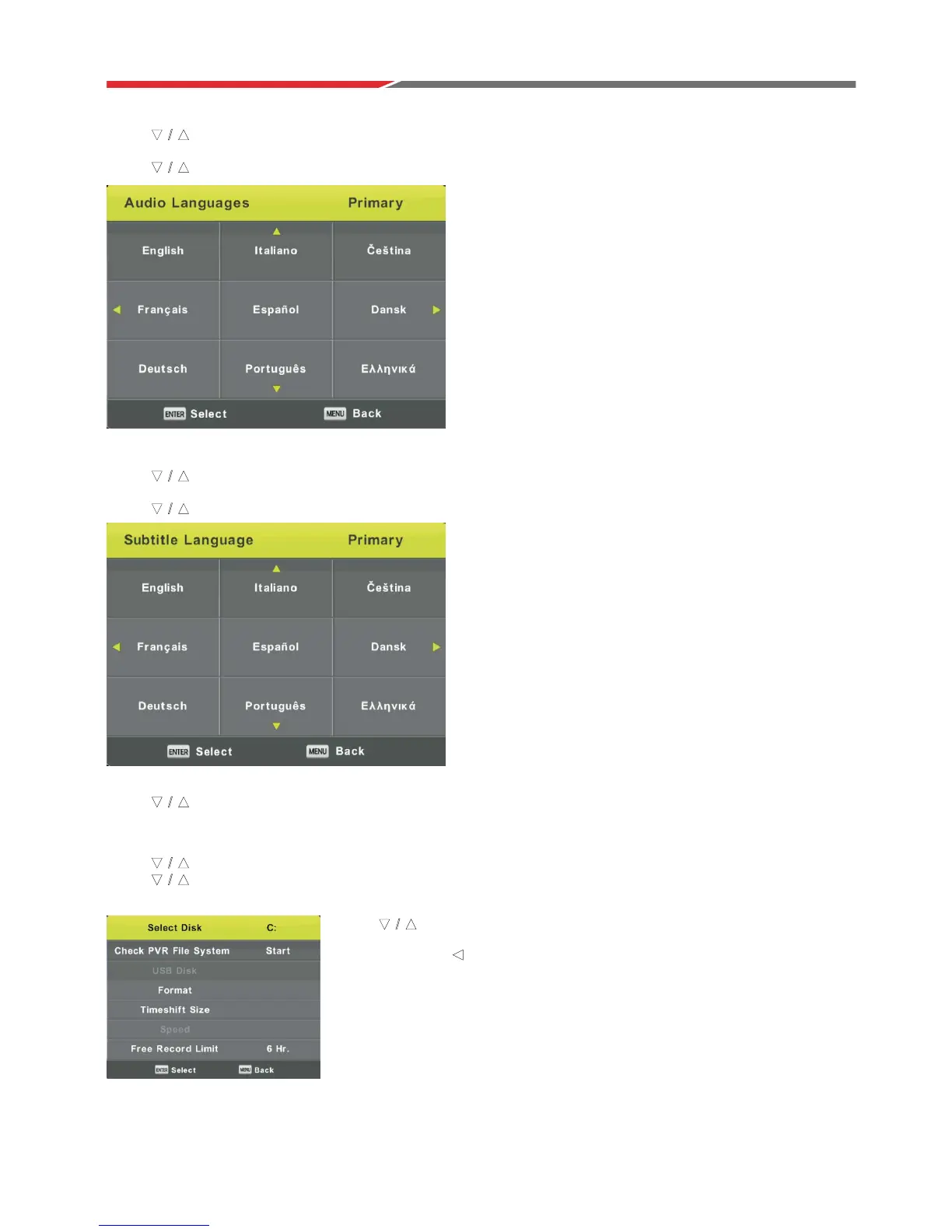
Audio Languages
Press button to select Audio Languages, then press Enter button to enter sub-menu.
PresVŻŹEutton to select the primary or secondary audio language.
Press ŻŹEutton to select the Audio Languages.
Subtitle Language
Press button to select Subtitle Language, then press Enter button to enter sub-menu.
PresVŻŹEutton to select the primary or secondary subtitle language.
Press ŻŹEutton to select the Subtitle Language.
Hearing Impaired
Press button to select Hearing Impaired, then press Enter button to select On or Off.
PVR File System
Press button to select PVR File System, then press Enter button to enter sub-menu.
Press button to select Check PVR File System,
then press Enter button to enter. Then it will check the USB speed.
ź
Ÿ
ź Ÿ
Press button to select format, then
Press Enter button to enter sub-menu.
P
Note: USB device must be formatted before
programs can be recorded.
ress Enter and to start format.
ź
Ÿ
Ÿ
ź Ÿ
ź Ÿ
ź Ÿ
ź Ÿ
ź Ÿ



 To Next Page