23
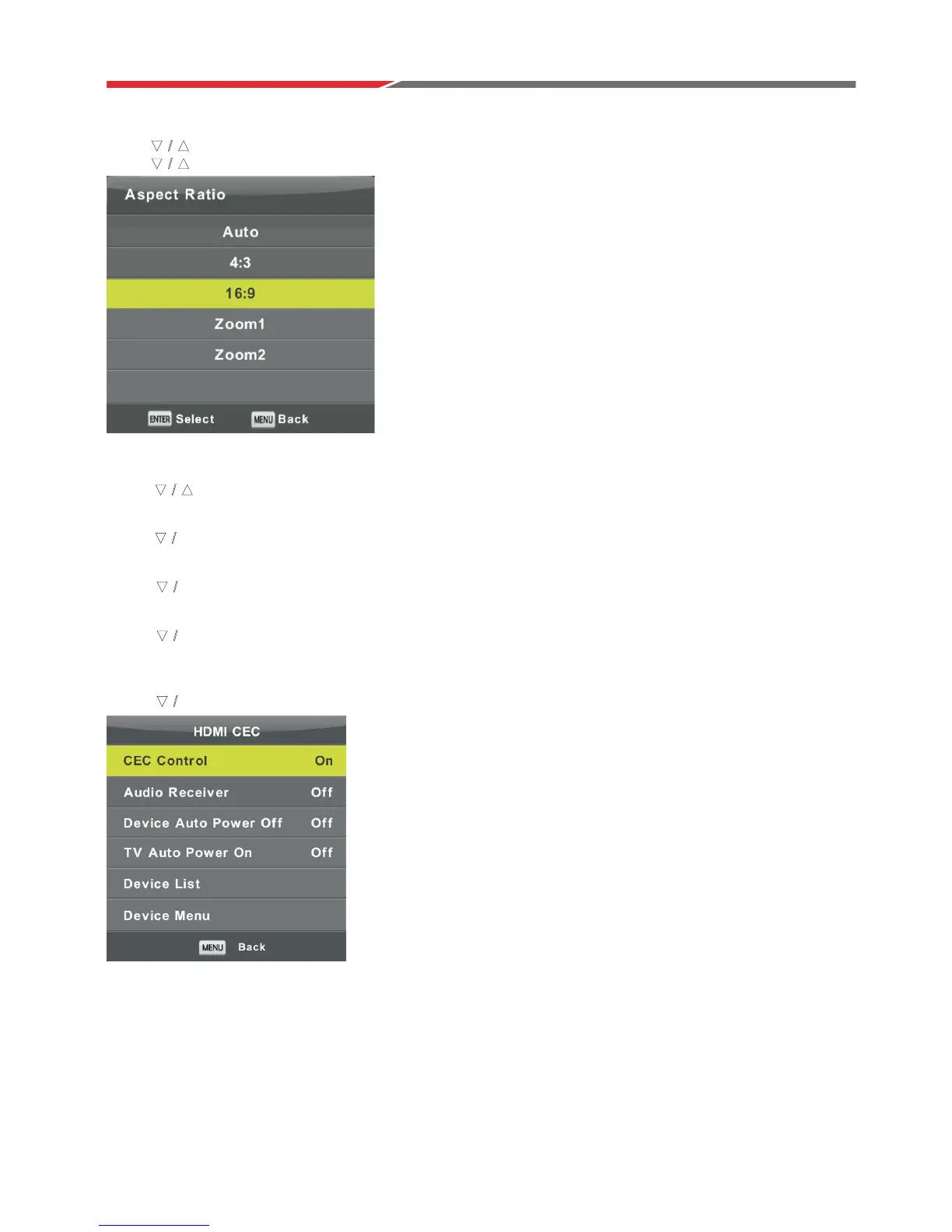
Aspect Ratio
Press b
b
utton to select Aspect Ratio, then press Enter button to enter sub-menu.
Press utton to select aspect ratio. (Available options are: Auto, 4:3,16:9, Zoom1, Zoom2).
Blue Screen
Press button to select Blue Screen, then press Enter button to select On or Off.
First Time Installation
Press button to select Initial Installation, then press Enter button to enter.
Reset
Press button to select Reset, then press Enter button to enter sub-menu.
Software Update(USB)
Press button to select Software Update (USB), plug your USB device in the USB slot,
the
n press Enter button to update the right software.
HDMI CEC
Press button to select HDMI CEC, then press Enter button to enter the sub-menu.
CEC Control Press ŻŹEutton to turn the CEC Control on or off.
Audio Receiver Press ŻŹEutton to turn the Audio Receiver on or off.
Device Auto Power Off Press ŻŹEutton to turn the Device Auto Power on or off.
TV Auto Power On Press ŻŹEutton to turn the TV Auto Power On on or off.
Device List Press Enter button to show list of device.
Device Menu Press Enter button to enter the menu of device.
ź Ÿ
ź Ÿ
ź Ÿ
ź
Ÿ
ź
Ÿ
ź
Ÿ
ź
Ÿ



 To Next Page