AXISF44DualAudioInput
ApplicationProgrammingInterface,outputbuttonsonthe
LiveViewpageorbyanActionRule.Theoutputwillshowas
active(shownunderSystemOptions>Ports&Devices)if
thealarmdeviceisactivated.
•Digitalinput–Forconnectingdevicesthatcantogglebetween
anopenandclosedcircuit,forexample:PIRs,door/window
contacts,glassbreakdetectors,etc.Whenasignalisreceived
thestatechangesandtheinputbecomesactive(shownunder
SystemOptions>Ports&Devices).
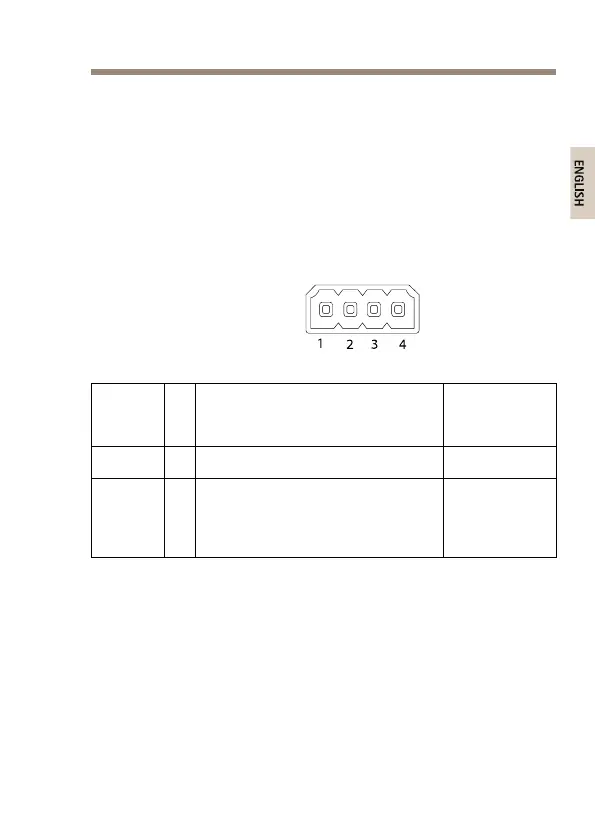
Func-
tion
P-
i-
n
Notes
Specications
0VDC(-)
1
DCground0VDC
DC
output
2
Canbeusedtopowerauxiliary
equipment.
Note:Thispincanonlybeusedas
powerout.
12VDC
Maxload=
50mA
17



 To Next Page