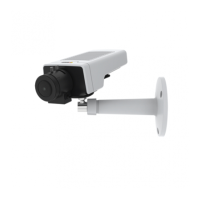
AXISM1124NetworkCamera
Video
LowestZipstreamstrengthisthedefaultsettingfortheproduct.Thiscongurationisverysafetouseinallapplicationswhilestill
reducingthebitrate.
Forcloud-connectedcamerasorcamerasusingedgestoragethatneedtolimitthebitrateforincreasedstoragetimeitis
recommendedtoselecttheHighestZipstreamstrength.Thissettingisverygoodtocombinewithmotiondetectiontriggeringand
variablebitrate(VBR)wherethebitrateisallowedtoadapttochangesincomplexityinthescene.
Axis’ZipstreamTechnologyforH.264conformstotheH.264standardandiscompatiblewiththird-partyclientsandVMSsolutions
thatdecodeH.264video.
ThebitratecontrollerbuiltintotheproductcanbecombinedwithZipsteamtoenforceamaximumbitrate(MBR)limit.Axis
CommunicationsrecommendsusingVBRorMBRwitharatherhighbitratelimittoenablethefullpotentialofAxis’Zipstream
Technology.
MJPEG
Sometimestheimagesizeislargeduetolowlightorcomplexscenery.Adjustingthemaximumframesizehelpstocontrolthe
bandwidthandstorageusedbytheMotionJPEGvideostreaminthesesituations.SettingtheframesizetotheDefaultsetting
providesconsistentlygoodimagequalityattheexpenseofincreasedbandwidthandstorageusageinlowlight.Limitingtheframe
sizeoptimizesbandwidthandstorageusage,butmaygivepoorimagequality.Topreventincreasedbandwidthandstorageusage,
themaximumframesizeshouldbesettoanoptimalvalue.
StreamProles
Astreamproleisasetofpredenedstreamsettingsincludingresolution,compression,framerateandoverlaysettings.Stream
prolescanbeused:
•Whensettinguprecordingusingactionrules.SeeEventsonpage36.
•Whensettingupcontinuousrecording.SeeContinuousRecordingonpage42.
•IntheLiveViewpage–selectthestreamprolefromtheStreamproledrop-downlist.
Forquicksetup,useoneofthepredenedstreamproles.Eachpredenedprolehasadescriptivename,indicatingitspurpose.If
required,thepredenedstreamprolescanbemodiedandnewcustomizedstreamprolescanbecreated.
Tocreateanewproleormodifyanexistingprole,gotoSetup>Video>StreamProles.
ToselectadefaultstreamprolefortheLiveViewpage,gotoSetup>LiveViewCong.
CameraSettings
TheVideo>CameraSettingspageprovidesaccesstoadvancedimagesettingsfortheAxisproduct.
ImageAppearance
TochangeImageAppearancegotothemenusunderSetup>Video>CameraSettings.
IncreasingtheColorlevelincreasesthecolorsaturation.Thevalue100givesmaximumcolorsaturationandthevalue0gives
minimumcolorsaturation.
TheimageBrightnesscanbeadjustedintherange0–100,whereahighervalueproducesabrighterimage.
IncreasingtheSharpnesscanincreasebandwidthusage.Asharperimagemightincreaseimagenoiseespeciallyinlowlight
conditions.Alowersettingreducesimagenoise,butthewholeimagewillappearlesssharp.
TheContrastchangestherelativedifferencebetweenlightanddark.Itcanbeadjustedusingtheslidebar.
LocalContrastappliescontrasttoaspecicareaoftheimage.Usetheslidertoadjustthecontrast,whereahighervalueproduces
animagewithhighcontrastbetweenthedarkandlightareasandissuitableforsceneswithwidedynamicrange.
20



 To Next Page