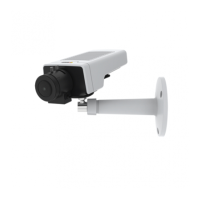
AXISM1124NetworkCamera
Video
WhiteBalance
TochangethissettinggotoSetup>Video>CameraSettings
Whitebalanceisusedtomakecolorsintheimageappearthesameregardlessofthecolortemperatureofthelightsource.TheAxis
productcanbesettoautomaticallyidentifythelightsourceandcompensateforitscolor.Alternatively,selectthetypeoflight
sourcefromthedrop-downlist.Foradescriptionofeachavailablesetting,seetheonlinehelp
.
ThewhitebalancewindowisenabledfortheAutomaticandAutomaticoutdooroptionsthatappearintheWhitebalancedrop-down
list.Selectoneoftheoptionsfromthedrop-downlisttosetthewhitebalancewindowproperties.SelectAutomatictousethe
defaultsettingsfortheAutomaticandAutomaticoutdooroptions(intheWhitebalancedrop-downlist).SelectCustomtomanually
setareferencewindowforwhitebalanceintheviewarea.
WideDynamicRange
Widedynamicrange(WDR-ForensicCapture)providesbalancedimagesinsceneswhenthereisaconsiderablecontrastbetween
lightanddarkareasintheimage.Thecameraautomaticallyhandlesthetransitionbetweensuchscenesandlow-lightconditions.In
rarelightconditionsdisablingWDRmightgiveabetterimage.
Important
UseWDRincombinationwithautomaticexposurecontrol.Otherexposuresettingscouldgiveundesirableresults.
UsetheHighlightsrecoveryslidertoimprovetheimageappearancebydecreasingbrightnessinthebrightpartsoftheimage.
UsetheShadowsrecoveryslidertoimprovetheimageappearancebyincreasingbrightnessinthedarkpartsoftheimage.
ExposureSettings
Conguretheexposuresettingstosuittheimagequalityrequirementsinrelationtolighting,framerateandbandwidth
considerations.
Exposurevalue-UsetheExposurevalueslidertoadjusttheoverallbrightnessoftheimage.
Exposurecontrol-Thissettingisusedtoadapttotheamountoflightused.Automaticisthedefaultsettingandcanbeusedin
mostsituations.Theshutterspeedisautomaticallysettoproduceoptimumimagequality.Flicker-free50or60Hzisusedtoremove
ickerwhichcanbecausedbyuorescentandotherlightsources.TheHoldcurrentoptionlocksthecurrentexposuresettings.
Exposurezones-Thissettingdetermineswhichpartoftheimageisusedtocalculatetheexposure.Formostsituations,theAuto
settingcanbeused.Forparticularrequirements,selectapredenedarea.
Exposurepriority-WhenMotionisprioritizedandmaximumShuttertimeissettoasmallvalue,motionblurintheimageis
minimized.Thiscanbeusefulforrecognitionofmovingobjectssuchaspeopleandvehicles.However,prioritizingmotionmaycause
anincreaseinimagenoise,especiallyinlowlightsituations.WhenLownoiseisprioritizedandGainissettoasmallvalue,image
noiseisminimized.Thelesizeisreduced,whichcanbeusefulifstoragespaceorbandwidthislimited.However,prioritizinglow
noisemayresultinaverydarkimage,especiallyinlowlightsituations.
Shutter&Gain
NormalLight-UsetheslidertosetthePrioritybetweenLowmotionblurandLownoise.Whenprioritizinglownoise(slider
allthewaytotheleft)theAxisproductwillautomaticallydecreaseshutterspeedasbrightnessdecreases.Whentheshutter
speedreaches1/30stheAxisproductwillincreasegainuntilthesetmaximumgainfornormallightisreached.SelecttheMax
gainvaluefromthedrop-downlist.Thisdenestheupperlimitforgaininthecontextofnormallight.Maxfastshuttersets
shutterspeedlimitinnormallightconditions.Dependingonascenario,theshutterspeedlimitmayneedtobedened.Thisis
donethroughSystemOptions>Advanced>PlainCong.
LowLight-UsetheslidertosetthePrioritybetweenLowmotionblurandLownoise.Whenprioritizinglowmotionblur(slider
allthewaytotheright)thecamerawillautomaticallyincreasegainasbrightnessdecreases.Whenthegainreachestheset
maximumgainforlowlight,thecamerawilldecreaseshutterspeeduntilthesetmaximumshutterforlowlightisreached.
Thisisthedefaultprioritysettingforlowlight.
21



 To Next Page