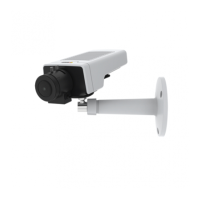
AXISM1124NetworkCamera
SystemOptions
1.InserttheSDcardintheSDcardslot.
2.OpentheAxisproduct’swebpagesandgotoSetup>SystemOptions>Storage.
3.ClickSDCard.
4.ClickFormatandselectthedesiredlesystem.
5.ClickOKtostartformattingthecard.
NetworkShare
NetworkshareallowsyoutoaddnetworkstoragesuchasaNAS(network-attachedstorage).TheNASshallbededicatedfor
recordingsanddatafromtheAxisproductsconnectedtothenetwork.ForinformationaboutreferenceNASdevices,goto
www.axis.com/se/sv/products/axis-camera-companion/support-and-documentation
Note
ForNASrecommendationsseewww.axis.com
Toaddanetworkshare:
1.GotoSystemOptions>Storage.
2.ClickNetworkShare.
3.EntertheIPaddress,DNSorBonjournametothehostserverintheHosteld.
4.EnterthenameoftheshareintheShareeld.Subfolderscannotbeused.
5.Ifrequired,selectThesharerequiresloginandentertheusernameandpassword.
6.ClickConnect.
ToclearallrecordingsanddatafromtheAxisproduct’sfolderonthedesignatedshare,clickClearunderStorageTools.
Toavoidllingtheshare,itisrecommendedtoremoverecordingscontinuously.UnderRecordingSettings,selectRemoverecordings
olderthanandselectthenumberofdaysorweeks.
Tostopwritingtotheshareandprotectrecordingsfrombeingremoved,selectLockunderRecordingSettings.
Ports&Devices
I/OPorts
TheAxisproductprovidesoneinputportandoneoutputportforconnectionofexternaldevices.Forinformationabouthowto
connectexternaldevices,seeConnectorsonpage61.
TheI/OportsareconguredunderSystemOptions>Ports&Devices>I/OPorts.Theportscanbegivendescriptivenamesandtheir
NormalstatescanbeconguredasOpencircuitorGroundedcircuit.
PortStatus
ThelistontheSystemOptions>Ports&Devices>PortStatuspageshowsthestatusoftheproduct’sinputandoutputports.
Maintenance
TheAxisproductprovidesseveralmaintenancefunctions.TheseareavailableunderSystemOptions>Maintenance.
ClickRestarttoperformacorrectrestartiftheAxisproductisnotbehavingasexpected.Thiswillnotaffectanyofthecurrent
settings.
53



 To Next Page