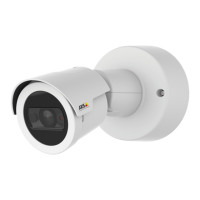
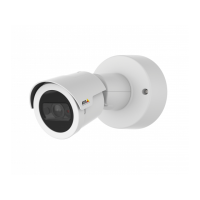
AXISM20BulletCameraSeries
Troubleshooting
Thedevicecan’tbeaccessedfromabrowser
Can’tlogin
WhenHTTPSisenabled,ensurethatthecorrectprotocol(HTTPorHTTPS)isusedwhenattempting
tologin.Youmayneedtomanuallytypehttporhttpsinthebrowser’saddresseld.
Ifthepasswordfortheuserrootislost,thedevicemustberesettothefactorydefaultsettings.
SeeResettofactorydefaultsettingsonpage47.
TheIPaddresshasbeen
changedbyDHCP
IPaddressesobtainedfromaDHCPserveraredynamicandmaychange.IftheIPaddresshasbeen
changed,useAXISIPUtilityorAXISDeviceManagertolocatethedeviceonthenetwork.Identify
thedeviceusingitsmodelorserialnumber,orbytheDNSname(ifthenamehasbeencongured).
Ifrequired,astaticIPaddresscanbeassignedmanually.Forinstructions,gotoaxis.com/support.
Certicateerrorwhenusing
IEEE802.1X
Forauthenticationtoworkproperly,thedateandtimesettingsintheAxisdevicemustbe
synchronizedwithanNTPserver.GotoSystem>Dateandtime.
Thedeviceisaccessiblelocallybutnotexternally
Toaccessthedeviceexternally,werecommendyoutouseoneofthefollowingapplicationsforWindows
®
:
•AXISCompanion:freeofcharge,idealforsmallsystemswithbasicsurveillanceneeds.
•AXISCameraStation:30-daytrialversionfreeofcharge,idealforsmalltomid-sizesystems.
Forinstructionsanddownload,gotoaxis.com/vms.
Problemswithstreaming
MulticastH.264only
accessiblebylocalclients
Checkifyourroutersupportsmulticasting,orifyouneedtoconguretheroutersettingsbetween
theclientandthedevice.YoumightneedtoincreasetheTTL(TimeToLive)value.
NomulticastH.264
displayedintheclient
CheckwithyournetworkadministratorthatthemulticastaddressesusedbytheAxisdevice
arevalidforyournetwork.
Checkwithyournetworkadministratortoseeifthereisarewallthatpreventsviewing.
PoorrenderingofH.264
images
Ensurethatyourgraphicscardusesthelatestdriver.Youcanusuallydownloadthelatestdrivers
fromthemanufacturer’swebsite.
Colorsaturationisdifferent
inH.264andMotionJPEG
Modifythesettingsforyourgraphicsadapter.Gototheadapter’sdocumentationformore
information.
Lowerframeratethan
expected
•SeePerformanceconsiderationsonpage50.
•Reducethenumberofapplicationsrunningontheclientcomputer.
•Limitthenumberofsimultaneousviewers.
•Checkwiththenetworkadministratorthatthereisenoughbandwidthavailable.
•Lowertheimageresolution.
•Logintothedevice’swebpageandsetacapturemodethatprioritizesframerate.If
youchangethecapturemodetoprioritizeframerateitmightlowerthemaximum
resolution,dependingonthedeviceusedandcapturemodesavailable.
•Themaximumframespersecondisdependentontheutilityfrequency(60/50Hz)
oftheAxisdevice.
Can'tselectH.265encoding
inliveview
Webbrowsersdon’tsupportH.265decoding.Useavideomanagementsystemorapplication
thatsupportsH.265decoding.
Problemsretrievingadditionalvideostreams
•‘VideoError’displayedinAXISCompanion,or
•‘Stream:Error.Somethingwentwrong.Maybetherearetoomanyviewers.’inChrome/Firefox,or
•‘503serviceunavailable’errorinQuickTime,or
•‘Cameranotavailable’displayedinAXISCameraStation,or
•‘Errorreadingvideostream’messageinbrowserwhenusingtheJavaapplet
Thiscameraisdesignedtodeliveruptofourdifferentstreams.Ifafthuniquestreamisrequested,thecameracan’tprovideit,and
anerrormessageisdisplayed.Theerrormessagedependsonthewaythestreamisrequested.Thestreamsareusedonarstcome,
rstservedbasis.Examplesofinstancesthatuseastreamare:
49


 To Next Page