Contents [ hide
1 Product
overview
2 Setup
3 Troubleshooting
4 Specifications
5 File Downloads
6 References
7 Related Manuals
Product overview
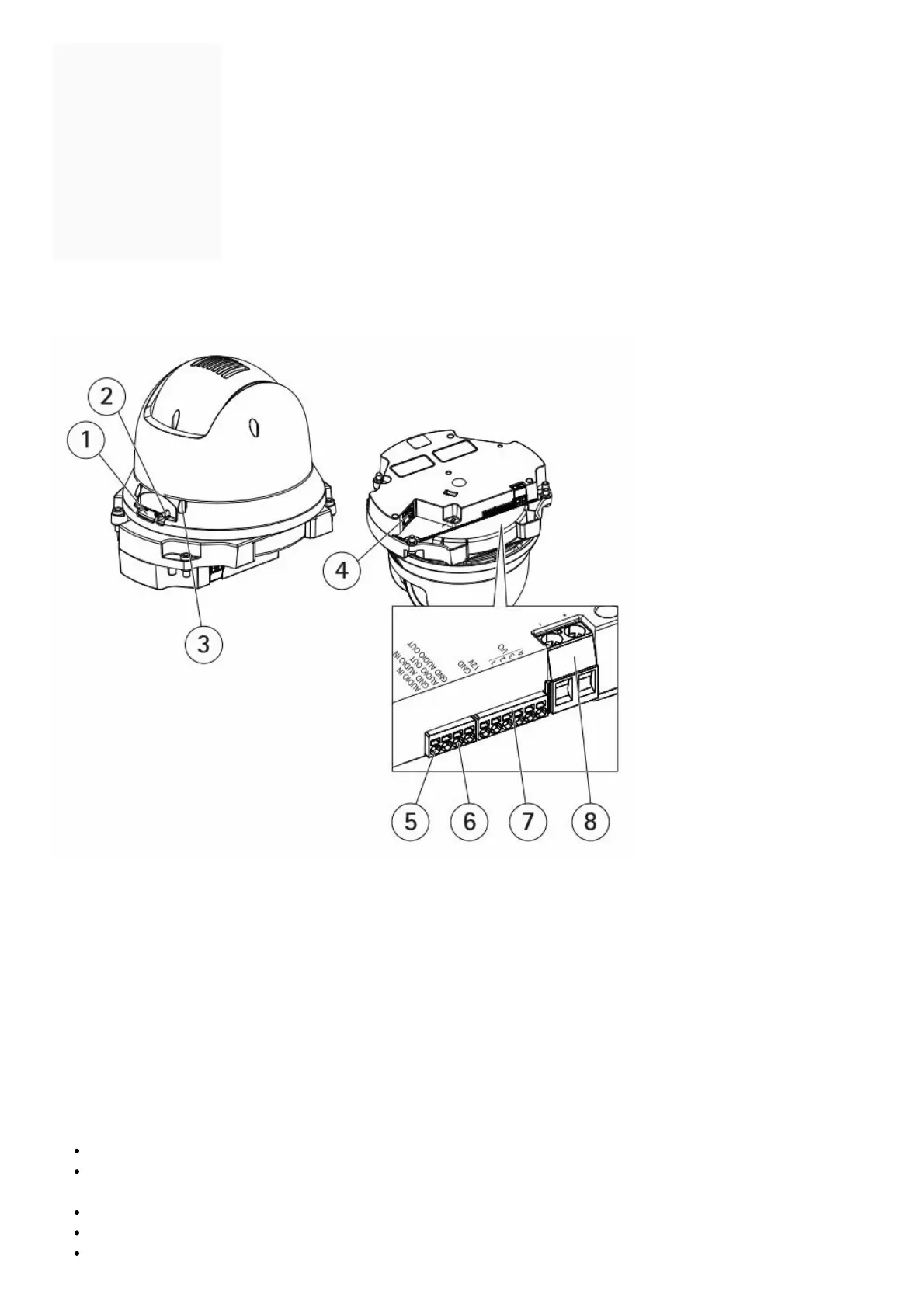
1. SD card slot (microSD)
2. Control button
3. Status LED
4. RJ45 connector
5. Audio in
6. Audio out
7. I/O connector
8. Power connector
How to connect a microphone to the camera
This example explains how to connect a microphone to the camera using an audio extension cable.
Required hardware
AXIS T8351 Microphone 3.5 mm
AXIS Audio Extension Cable A, 5 m (16 ft)
Note
To avoid noise, don’t run the cable close to or in parallel with other cables.
To avoid noise, cut the cable as short as possible.
To maintain an IP66 rating, make sure you keep the jack inside the housing.



 To Next Page