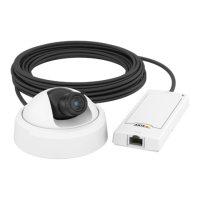
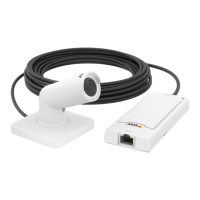
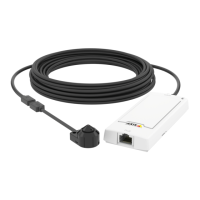
AXISP1214NetworkCamera
Video
Forquicksetup,useoneofthepredenedstreamproles.Eachpredenedprolehasadescriptivename,indicatingitspurpose.If
required,thepredenedstreamprolescanbemodiedandnewcustomizedstreamprolescanbecreated.
Tocreateanewproleormodifyanexistingprole,gotoSetup>Video>StreamProles.
ToselectadefaultstreamprolefortheLiveViewpage,gotoSetup>LiveViewCong.
CameraSettings
TheVideo>CameraSettingspageprovidesaccesstoadvancedimagesettingsfortheAxisproduct.
ImageAppearance
IncreasingtheColorlevelincreasesthecolorsaturation.Thevalue100givesmaximumcolorsaturation.Thevalue0givesa
blackandwhiteimage.
TheimageBrightnesscanbeadjustedintherange0–100,whereahighervalueproducesabrighterimage.
IncreasingtheSharpnesscanincreasebandwidthusage.Asharperimagemightincreaseimagenoiseespeciallyinlowlight
conditions.Alowersettingreducesimagenoise,butthewholeimagewillappearlesssharp.
TheContrastchangestherelativedifferencebetweenlightanddark.Itcanbeadjustedusingtheslidebar.
WhiteBalance
Whitebalanceisusedtomakecolorsintheimageappearthesameregardlessofthecolortemperatureofthelightsource.TheAxis
productcanbesettoautomaticallyidentifythelightsourceandcompensateforitscolor.Alternatively,selectthetypeoflight
sourcefromthedrop-downlist.Foradescriptionofeachavailablesetting,seetheonlinehelp
.
ExposureSettings
Conguretheexposuresettingstosuittheimagequalityrequirementsinrelationtolighting,framerateandbandwidth
considerations.
Exposurevalue-Clickinthebartone-tunetheexposure.
Exposurecontrol-Thesesettingsisusedtoadapttotheamountoflightused.Automaticisthedefaultsettingscanbeusedinmost
situations.Theshutterspeedisautomaticallysettoproduceoptimumimagequality.Flicker-free50or60Hzisusedtoremove
ickerwhichcanbecausedbyuorescentandotherlightsources.TheHoldcurrentoptionlocksthecurrentexposuresettings.
EnableBacklightcompensation-Enablethisoptionifabrightspotoflight,forexamplealightbulb,causesotherareasin
theimagetoappeartoodark.
Exposurezones-Thissettingsdetermineswhichpartoftheimageisusedtocalculatetheexposure.Formostsituations,theAuto
settingcanbeused.Forparticularrequirement,selectapredenedarea.
Exposurepriority-WhenMotionisprioritizedandmaximumShuttertimeissettoasmallvalue,motionblurintheimageis
minimized.Thiscanbeusefulforrecognitionofmovingobjectssuchaspeopleandvehicles.However,prioritizingmotionmaycause
anincreaseinimagenoise,especiallyinlowlightsituations.WhenLownoiseisprioritizedandGainissettoasmallvalue,image
noiseisminimized.Thelesizeisreduced,whichcanbeusefulifstoragespaceorbandwidthislimited.However,prioritizinglow
noisemayresultinaverydarkimage,especiallyinlowlightsituations.
Overlay
Overlaysareusedtoprovideextrainformation,forexampleforforensicvideoanalysisorduringproductinstallationand
conguration.Overlaysaresuperimposedoverthevideostream.
17



 To Next Page