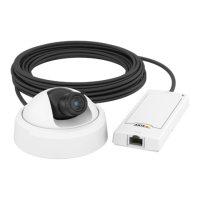
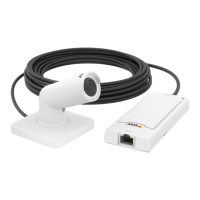
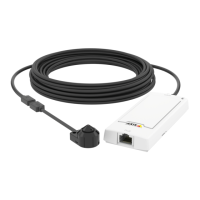
AXISP1214NetworkCamera
Video
Anoverlaytextcandisplaythecurrentdateandtime,oratextstring.Whenusingatextstring,modierscanbeusedtodisplay
informationsuchasthecurrentbitrateorthecurrentframerate.Forinformationaboutavailablemodiers,seeFileNaming&
Date/TimeFormatsintheonlinehelp.
Toenableoverlays:
1.GotoVideo>VideoStreamandselecttheImagetab.
2.Toincludeanoverlayimage,selectIncludeoverlayimageatthecoordinates.Theoverlayimagemustrstbeuploadedto
theAxisproduct,seeOverlayImage.
3.Toincludedateandtime,selectIncludedateandIncludetime.
4.Toincludeatextstring,selectIncludetextandenterthetextintheeld.Modierscanbeused,seeFileNaming&
Date/TimeFormatsintheonlinehelp
.
5.Denetextoverlaycharacteristicsintherelevantelds.
6.ClickSave.
Tomodifythedateandtimeformat,gotoSystemOptions>Date&Time.SeeDate&Time,onpage31.
OverlayImage
Anoverlayimageisastaticimagesuperimposedoverthevideostream.Theimage,forexamplecompanylogo,isusedtoprovide
extrainformationortomaskapartoftheimage.
Touseanoverlayimage,theimagemustrstbeuploadedtotheAxisproduct:
1.GotoVideo>OverlayImage.
2.ClickBrowseandbrowsetothele.
3.ClickUpload.
4.SelecttheimagetousefromtheUseoverlayimagelist.
5.ClickSave.
Todisplaytheoverlayimage:
1.GotoVideo>VideoStreamandselecttheImagetab.
2.UnderOverlaySettings,selectIncludeoverlayimageatthecoordinatesandentertheXandYcoordinates.
3.ClickSave.
Forinformationaboutsupportedimageformats,seetheonlinehelp
.
PrivacyMask
Aprivacymaskisanareaofsolidcolorthatprohibitsusersfromviewingpartsofthemonitoredarea.Privacymaskscannotbe
bypassedviatheVAPIX®ApplicationProgrammingInterface(API).
ThePrivacyMaskList(Video>PrivacyMask)showsallthemasksthatarecurrentlyconguredintheAxisproductandindicates
iftheyareenabled.
Youcanaddanewmask,re-sizethemaskwiththemouse,chooseacolorforthemask,andgivethemaskaname.
Formoreinformation,seetheonlinehelp
18



 To Next Page