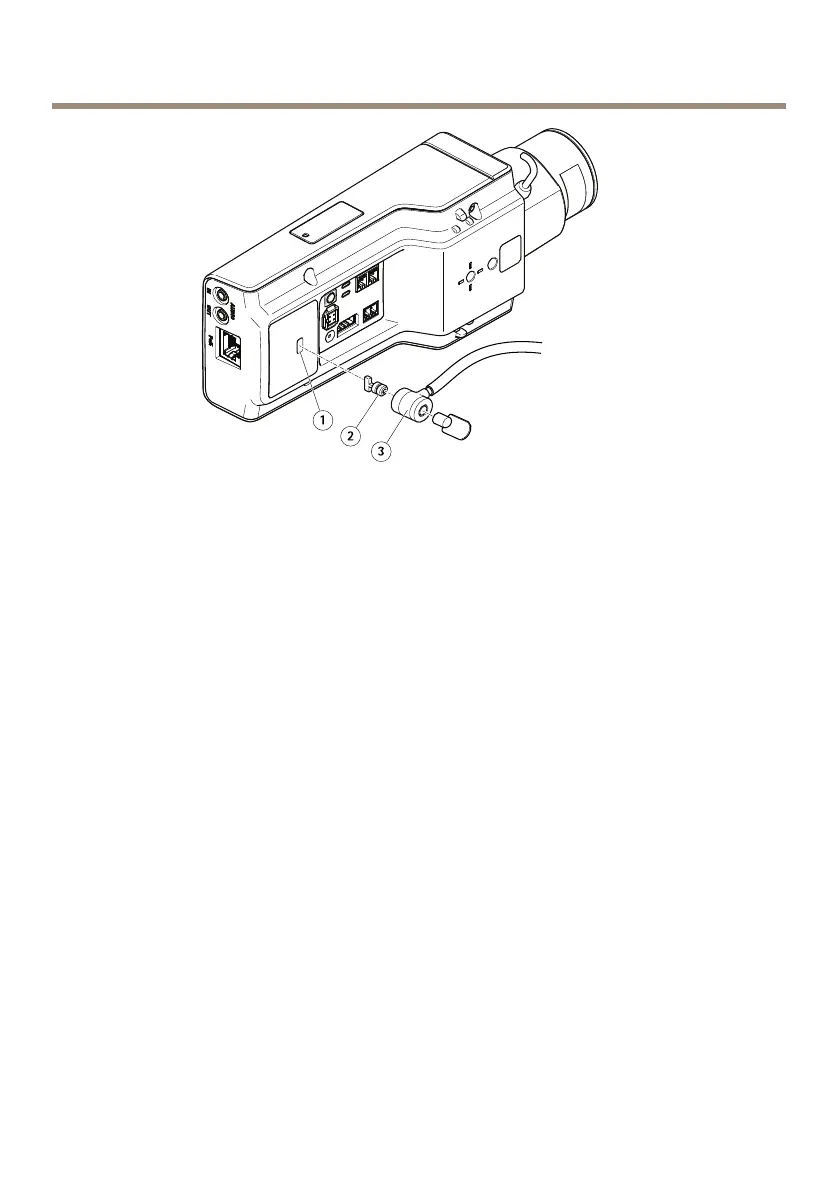
AXISP1367NetworkCamera
1
Securityslot
2
Anchor
3
Lockhead
Howtoaccesstheproduct
AXISIPUtilityandAXISCameraManagementarerecommendedmethodsforndingAxisproducts
onthenetworkandassigningthemIPaddressesinWindows®.Bothapplicationsarefreeandcan
bedownloadedfromwww.axis.com/support
Theproductcanbeusedwiththefollowingbrowsers:
•Chrome
TM
(recommended),Firefox
®
,Edge
®
,orOpera
®
withWindows
®
•Chrome
TM
(recommended)orSafari
®
withOSX
®
•Chrome
TM
orFirefox
®
withotheroperatingsystems.
Formoreinformationaboutusingtheproduct,seetheUserManualavailableatwww.axis.com
Howtoadjustfocusandzoom
Ifthecameraismountedsothatyoucannotlookattheimageandaccessthelensatthesame
time,usetheFocusAssistant,seeHowtoadjustfocuswiththeFocusAssistant.
1.GototheImagetabintheproduct'swebpage.
2.ClickAutofocus.
3.Loosenthezoomandfocuspullersonthelensbyturningthemcounter-clockwise.See
Productoverview.
14



 To Next Page