AXISP1445-LE-3LicensePlateVerifierKit
Vehicleentryandexitscenario
Vehicleentryandexitscenario
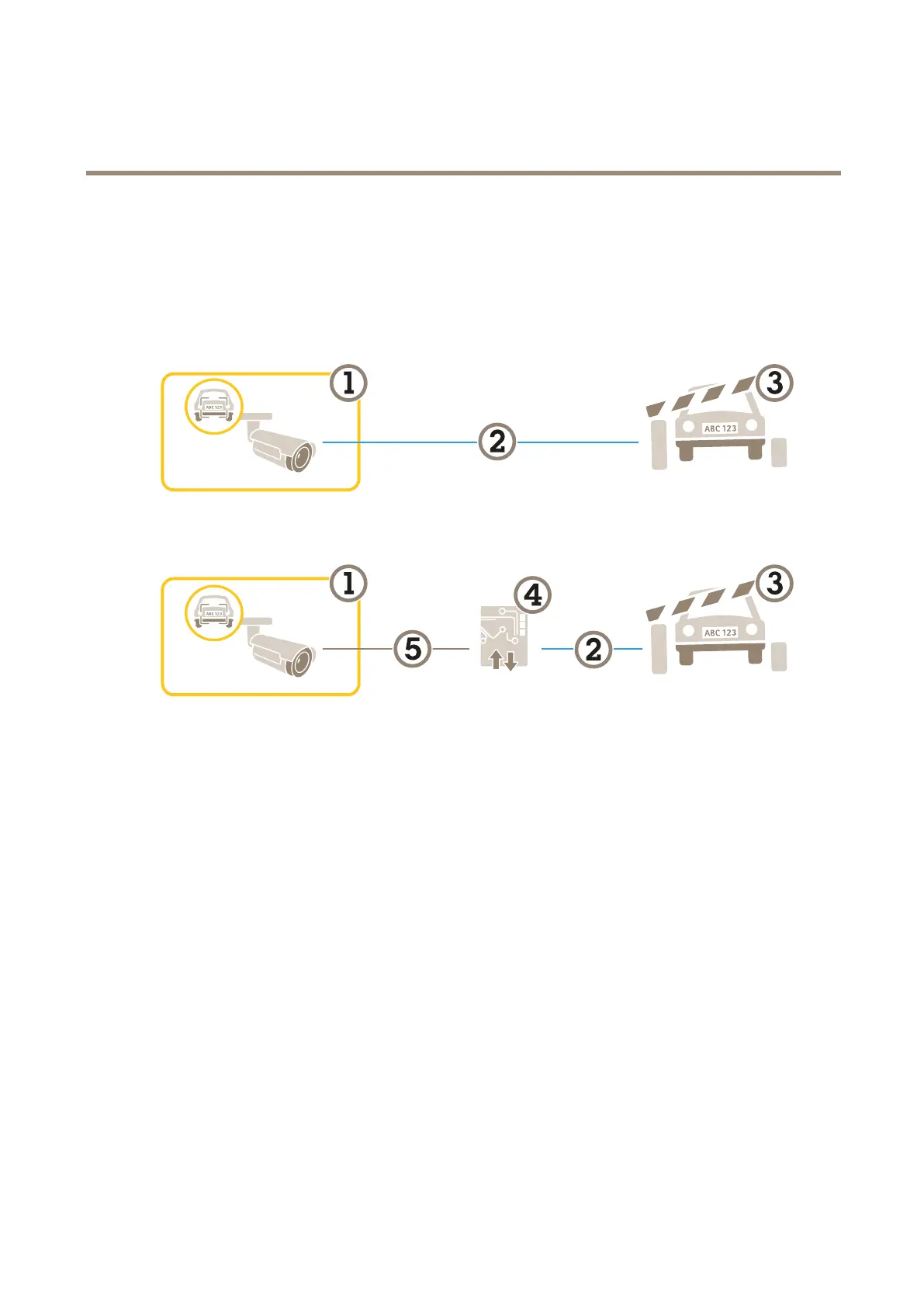
Inthescenarioforvehicleentryandexit,theapplicationreadsthevehiclelicenseplatecapturedbythecameraandveriesthe
licenseplateagainstalistofauthorizedorunauthorizedlicenseplatenumbersstoredinthecamera.
ThisscenariorequirestheapplicationembeddedinacamerawithI/OsupportoraconnectedI/Orelaymoduletoopenandclosethe
barrier.
Twopossiblesetupsforthevehicleentryandexitscenario.
1
AxiscamerawithAXISLicensePlateVerier
2
I/Ocommunication
3
Barrier
4
AxisI/Orelaymodule
5
IPcommunication
Openabarrierforknownvehiclesusingarelaymodule
ThisexampleusecaseexplainshowtosetupAXISLicensePlateVeriertogetherwitharelaymoduletoopenabarrierforaknown
vehicledrivingthroughaspecicregionofinterest(ROI)into,let’ssayaparkingarea.
Requirements:
•Cameraphysicallyinstalledandconnectedtothenetwork.
•AXISLicensePlateVerierupandrunningonthecamera.
•Cablesconnectedbetweenthebarrierandtherelaymodule.
•Basicsetupdone.SeeBasicsetuponpage4.
1.Gotothecamera’swebpage,selectSettingsandopenAXISLicensePlateVerier.
2.Gototherelaymodule’swebpageandmakesuretherelayportisconnectedtothecamera’sI/Oport.
3.Copytherelaymodule’sIPaddress.
4.GobacktoAXISLicensePlateVerier.
18



 To Next Page