AXISP1445-LE-3LicensePlateVerifierKit
Vehicleaccesscontrolscenario
Vehicleaccesscontrolscenario
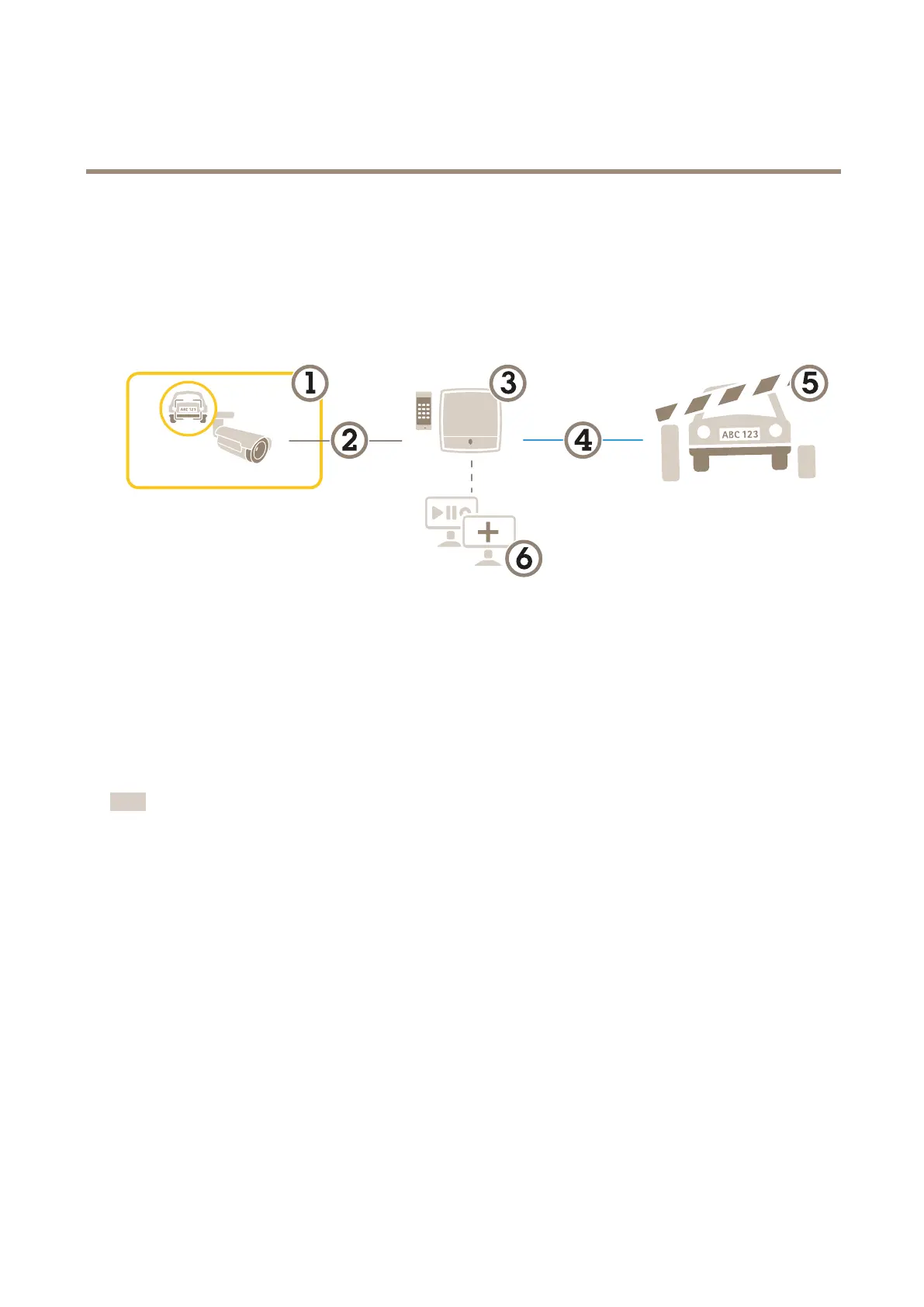
Inthescenarioforvehicleaccesscontrol,theapplicationcanbeconnectedtoanAxisnetworkdoorcontrollertocongureaccess
rules,createschedulesforaccesstimes,andhandlevehicleaccessnotonlyforemployees,butalso,forexample,visitorsandsuppliers.
Forbackup,useanaccesssysteminvolvingadoorcontrollerandcardreader.Tosetupthedoorcontrollerandthecardreader,see
theuserdocumentationataxis.com
1
AxiscamerawithAXISLicensePlateVerier
2
IPcommunication
3
Axisnetworkdoorcontrollerwithcardreader
4
I/Ocommunication
5
Barrier
6
Optionalthird-partysoftware
Connecttoadoorcontroller
Inthisexampleweconnectthecameratoanetworkdoorcontrollerwhichmeansthecameraworksasasensor.Thecameraforwards
theinformationtothecontrollerwhichinturnanalyzestheinformationandtriggerstheevents.
Note
WhenswitchingbetweentheAXISLicensePlateVerierandAXISEntryManager,makesuretorefreshthewebpagestoget
accesstoallparameters.
Requirements:
•Cameraanddoorcontrollerphysicallyinstalledandconnectedtothenetwork.
•AXISLicensePlateVerierupandrunningonthecamera.
•Basicsetupdone.SeeBasicsetuponpage4.
21



 To Next Page