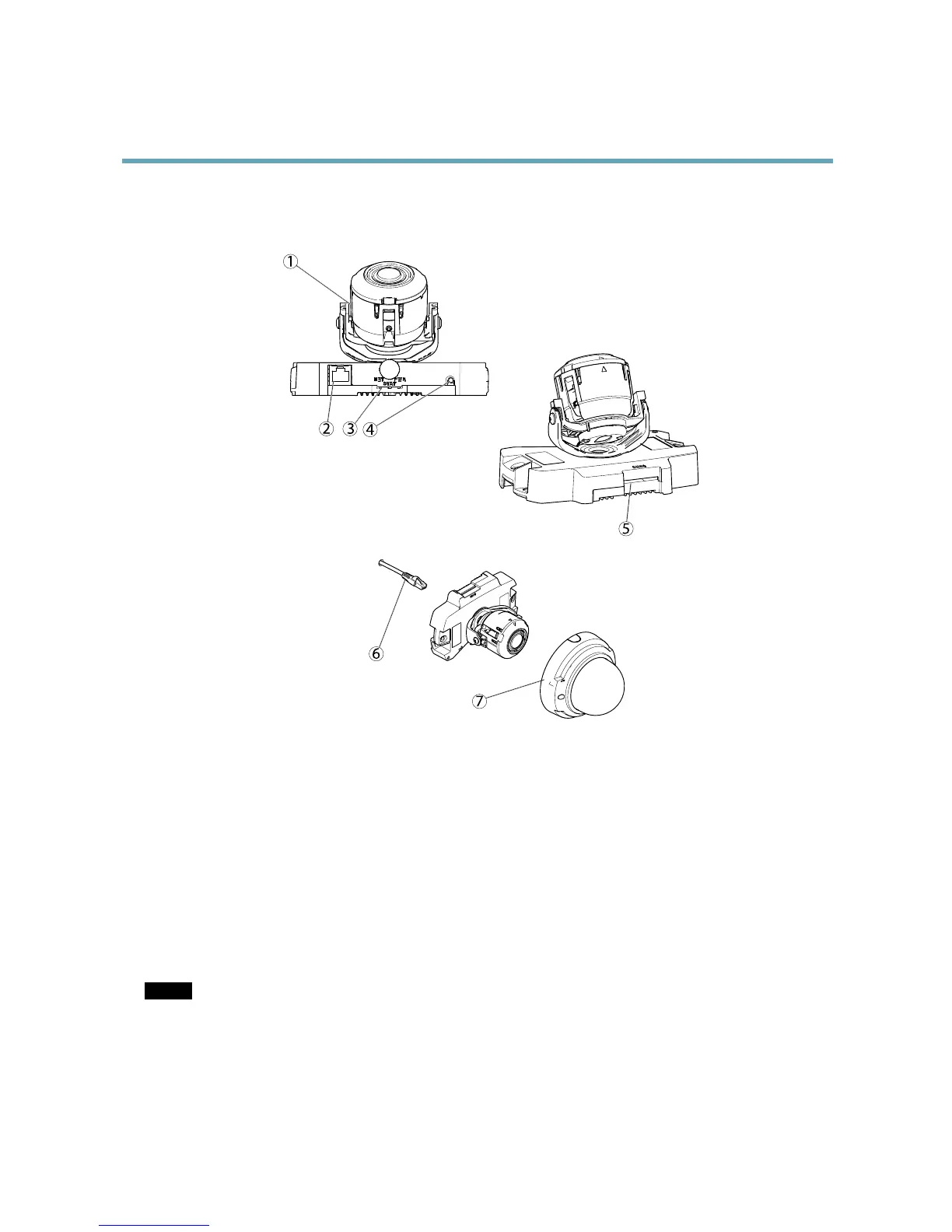
1.
Cameraunit
2.
Networkconnector(PoE)
3.
LEDindicators
4.
Controlbutton
5.
SDmemorycardslot
6.
Networkcable
7.
Domecover
ConnectorsandButtons
Fortechnicalspecications,seepage53.
NetworkConnector
RJ45Ethernetconnector.SupportsPoweroverEthernet(PoE).
NOTICE NOTICE
NOTICE
Theproductshallbeconnectedusingashieldednetworkcable(STP)oranopticalbercable.Allcablesconnectingthe
producttothenetworkshallbeintendedfortheirspecicuse.Makesurethatthenetworkdevicesareinstalledin
accordancewiththemanufacturer’sinstructions.Forinformationaboutregulatoryrequirements,seeElectromagnetic
Compatibility(EMC),onpage2.
6



 To Next Page