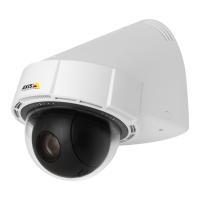
AXISP5414-EPTZDomeNetworkCamera
VideoandAudio
Day/Night
TheIRcutlterpreventsinfrared(IR)lightfromreachingtheimagesensor.Inpoorlightingconditions,forexampleatnight,orwhen
usinganexternalIRlamp,settheIRcutltertoOff.Thisincreaseslightsensitivityandallowstheproductto“see”infraredlight.The
imageisshowninblackandwhitewhentheIRcutlterisoff.
IfusingautomaticExposurecontrol,settheIRcutltertoAutotoautomaticallyswitchbetweenOnandOffaccordingtothe
lightingconditions.
Overlay
Overlaysareusedtoprovideextrainformation,suchasforensicvideoanalysisorduringproductinstallationandconguration.
Overlaysaresuperimposedoverthevideostream.
Anoverlaytextcandisplaythecurrentdateandtime,oratextstring.
Whenusingatextstring,modierscanbeusedtodisplayinformationsuchasthecurrentbitrateorthecurrentframerate.
Forinformationaboutavailablemodiers,seeFileNaming&Date/TimeFormatsintheonlinehelp
.
Itisalsopossibletodisplaytextwhenanactionruleistriggered,seeUseOverlayTextinanActionRule.
Note
Toenableoverlays:
1.GotoVideo&Audio>VideoStreamandselecttheImagetab.
2.Toincludeanoverlayimage,selectIncludeoverlayimageatthecoordinates.Theoverlayimagemustrstbeuploadedto
theAxisproduct,seeOverlayImage.
3.Toincludedateandtime,selectIncludedateandIncludetime.
4.Toincludeatextstring,selectIncludetextandenterthetextintheeld.Modierscanbeused,seeFileNaming&
Date/TimeFormatsintheonlinehelp
.
5.Denetextoverlaycharacteristicsintherelevantelds.
6.ClickSave.
Tomodifythedateandtimeformat,gotoSystemOptions>Date&Time.SeeDate&Timeonpage48.
DisplayingthePanPositionasaTextOverlay
Itmaybeusefultoretrieve,forinstancefromarecordedvideo,thepanposition(indegrees)inwhichaneventhastakenplace.
Thiscanbeobtainedbyincludingthepanpositionintheimageasatextoverlay,usingamodier.Todisplaythepanpositionasa
textoverlay:
1.GotoSetup>Video>VideoStream.
2.UnderOverlaysettings,selectIncludetextandenter#x.
3.Conguretheoptionalsize,colorandpositonofthetextoverlay.
4.ClickSave.
OverlayImage
Anoverlayimageisastaticimagesuperimposedoverthevideostream.Theimage,forexampleacompanylogo,isusedtoprovide
extrainformationortomaskapartoftheimage.
Sinceitisstatic,thepositionandsizeofanoverlayimagewillremainthesameregardlessofresolutionandPan/Tilt/Zoommovements.
21


 To Next Page