AXISP5414-EPTZDomeNetworkCamera
RepaintingtheCamera
RepaintingtheCamera
Thecoverscanberepaintedtomatchtheinstallationenvironment.
ThematerialusedinthecoversisASAGeloyXTWM206.Usepaintsuitableforthismaterial.
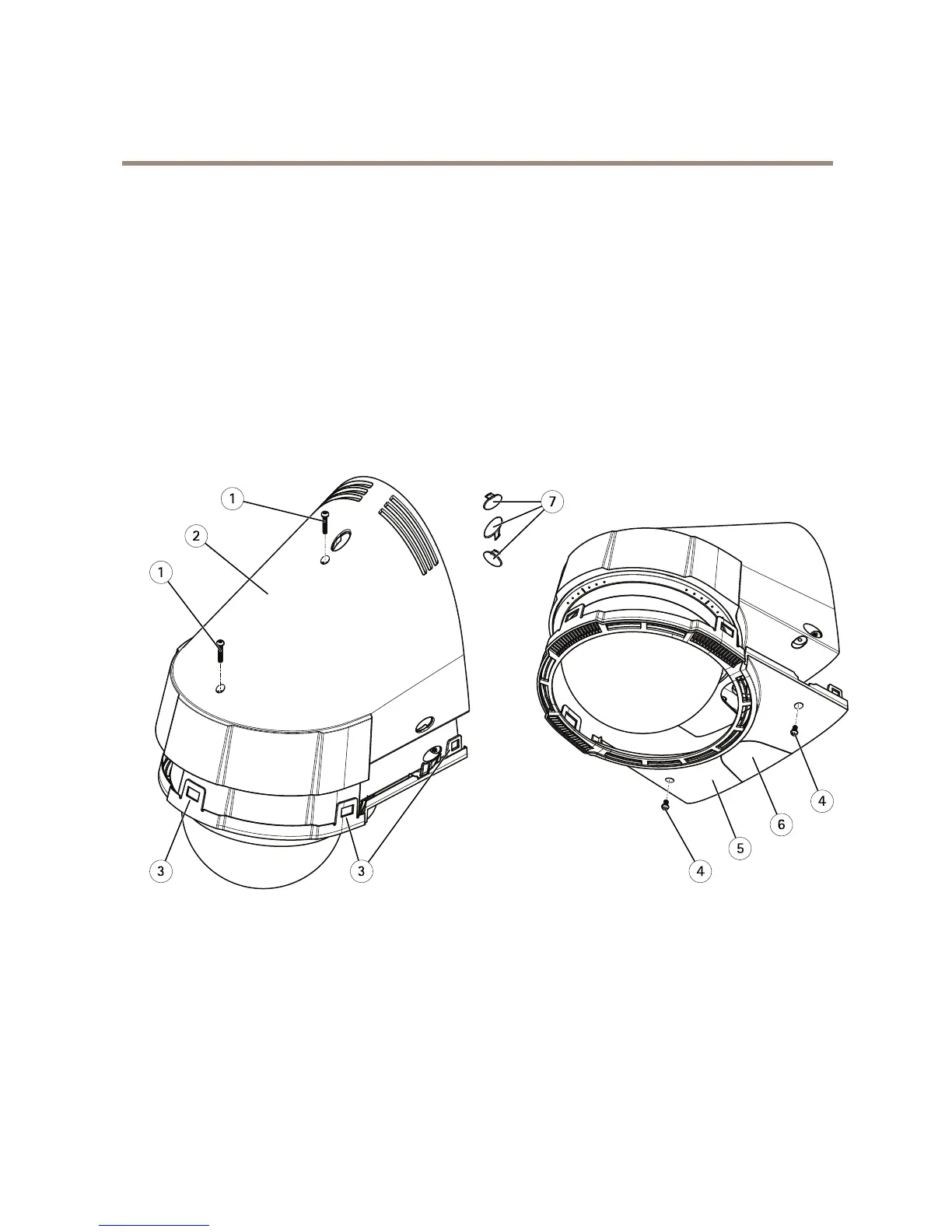
1.Removethetwotopcoverscrews.
2.Useathinpaletteknifetoreleasethelockingtabswhilepullingthetopcoverstraightupwardstoremovethecover.
3.Removethetwobottomcoverscrewsandremovethebottomcover.
4.Maskthelockingtabsinthebottomcoverandthethreescrewcovers.
5.Repaintthetopcover,thebottomcover,thescrewcovers,andtheconduitcover.
6.Assembleinthereverseorder.


 To Next Page