AXISP5635-EPTZMkIIDomeNetworkCamera
AccesstheProduct
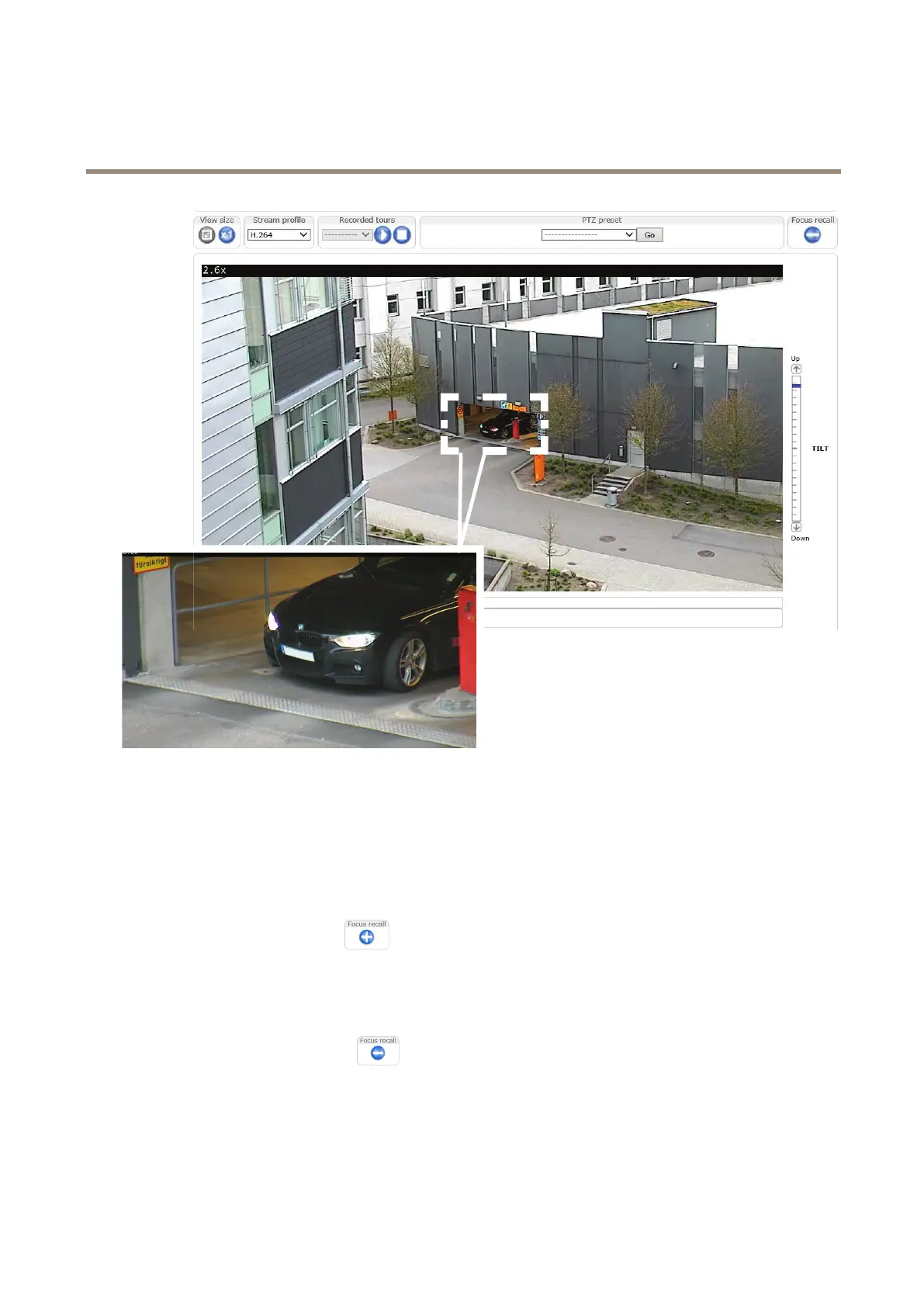
Theimageshowsanexampleofafocusrecallareamarkedwithawhitesquare.Assoonasthecameradetectsthefocusrecallarea,the
camerarecallsthepreviouslysetfocus.Thismeansthat,inthisexample,thefocusissetonthecarregardlessofzoomfactor.
Howtoaddafocusrecallarea
1.Pan,tiltandzoomintotheareawhereyouwouldliketohavefocus.
2.Setthefocus,eitherusetheautofocusoradjustmanuallybyusingthefocusbar.
3.Clickonthefocusrecallbutton.Thebuttontogglesfromplustominustoshowthatthefocusrecallareaisadded.
Howtoremoveafocusrecallarea
1.Pan,tiltandzoomtoenterthefocusrecallarea.
2.Clickonthefocusrecallbutton
.Thebuttontogglesfromminustoplustoshowthatthefocusrecallarea
isremoved.
15













 To Next Page