AXISP5635-EPTZMkIIDomeNetworkCamera
TechnicalSpecifications
TechnicalSpecifications
Youcanndthelatestversionofthetechnicalspecicationsatwww.axis.com
AxisMulticableCI/OAudioPower1m/5m(soldseparately)
WhenconnectingexternalequipmenttotheAxisproduct,anAxisMulticableCI/OAudioPower1m/5m(soldseparately)is
requiredinordertomaintaintheproduct’sIPrating.
Connectthemulticabletotheproduct’smulti-connector.Tolocatethemulti-connector,seeHardwareOverviewonpage7.
Themulticableprovidesthefollowingconnectors:
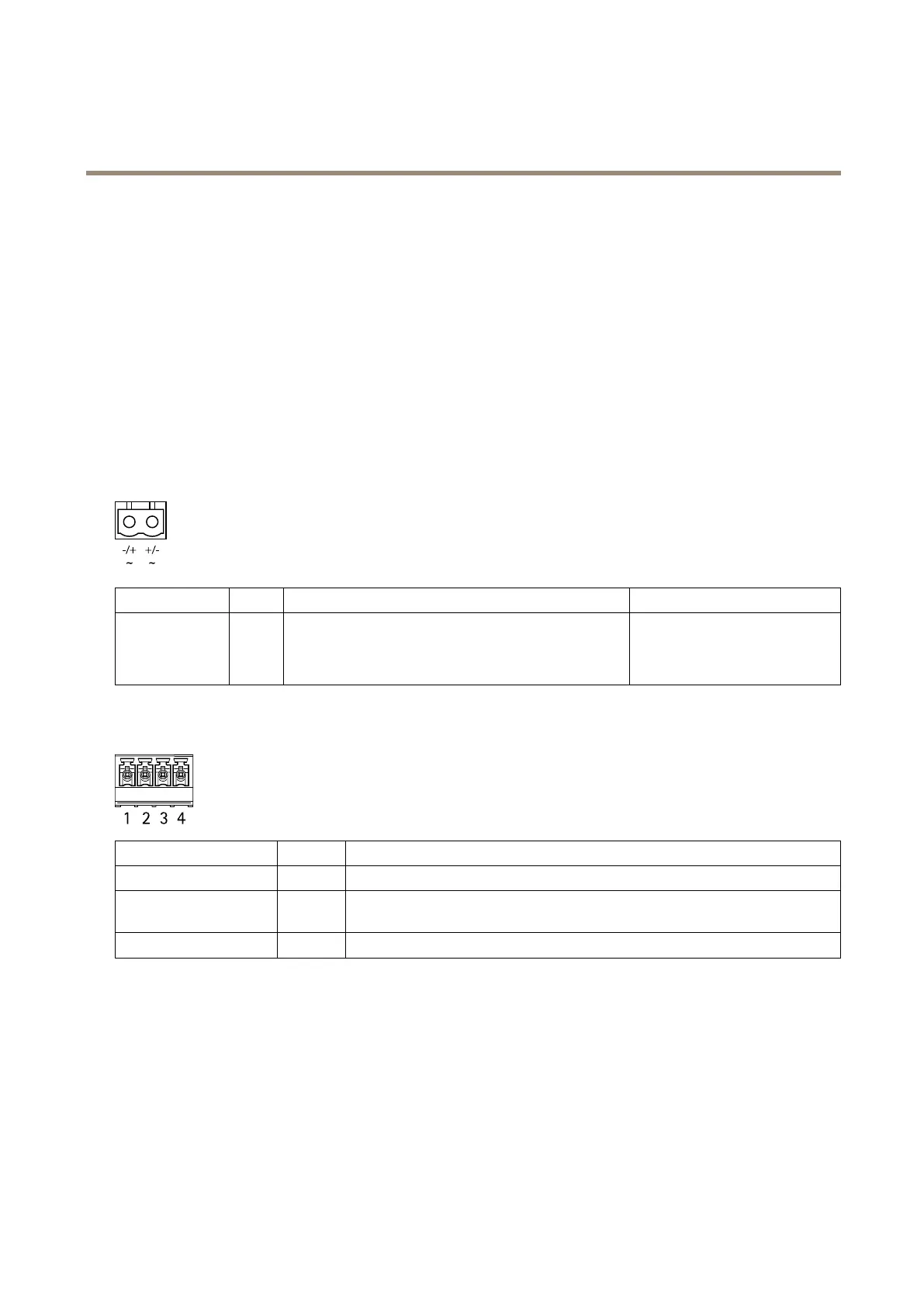
Powerconnector-2-pinterminalblockusedforACorDCpowerinput.UseaSafetyExtraLowVoltage(SELV)compliantlimited
powersource(LPS)witheitheraratedoutputpowerlimitedto≤100Woraratedoutputcurrentlimitedto≤5A.
FunctionPinNotes
Specications
AC/DCPower
input
Polar-
ityin-
depen-
dent
UseaSafetyExtraLowVoltage(SELV)compliantlimited
powersource(LPS)witheitheraratedoutputpowerlimited
to≤100Woraratedoutputcurrentlimitedto≤5A.Ground
forAC/DC
24VAC/DC
Audioconnector-4–pinterminalblockusedforaudioinandaudiolineout.Thiscanbeconnectedtoapublicaddress(PA)system
oranactivespeakerwithabuilt-inamplier.
FunctionPinNotes
AudioIn
1
Balancedorunbalancedinputforamonomicrophoneorlinesignal
AudioLineOut
3
Canbeconnectedtoapublicaddress(PA)systemoranactivespeakerwithabuilt-in
amplier
GND
2,4
Ground
I/Oconnector-6–pinterminalblock.Usewithexternaldevicesincombinationwith,forexample,tamperingalarms,motion
detection,eventtriggering,timelapserecordingandalarmnotications.Inadditiontothe0VDCreferencepointandpower(DC
output),theI/Oconnectorprovidestheinterfaceto:
•Digitaloutput—ForconnectingexternaldevicessuchasrelaysandLEDs.Connecteddevicescanbeactivatedbythe
VAPIX®ApplicationProgrammingInterface,outputbuttonsontheLiveViewpageorbyanActionRule.Theoutput
willshowasactive(shownunderSystemOptions>Port&Devices>PortStatus)ifthealarmdeviceisactivated.
•Digitalinput—Analarminputforconnectingdevicesthatcantogglebetweenanopenandclosedcircuit,for
example:PIRs,door/windowcontacts,glassbreakdetectors,etc.Whenasignalisreceivedthestatechangesand
theinputbecomesactive(shownunderSystemOptions>Port&Devices>PortStatus).
67













 To Next Page