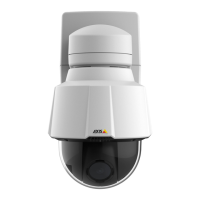
AXISP5635-EPTZMkIIDomeNetworkCamera
Recordings
Recordings
TheAxisproductcanbeconguredtorecordvideocontinuouslyoraccordingtoanactionrule:
•Tostartacontinuousrecording,seepage47.
•Tosetupactionrules,seepage41.
•Toaccessrecordings,seeFindRecordingsonpage46.
•Toplayrecordings,seePlayRecordingonpage46.
•Toexportarecordingasavideoclip,seeExportVideoCliponpage47.
•Tocongurecameracontrolledstorage,seeStorageonpage57.
FindRecordings
RecordingsstoredontheSDcardornetworksharecanbeaccessedfromtheRecordings>Listpage.Thepagelistsallrecordingson
thestoragedeviceandshowseachrecording’sstartdateandtime,durationandtheeventthattriggeredtherecording.
Note
Therecording’sstartdateandtimeissetaccordingtotheAxisproduct’sdateandtimesettings.IftheAxisproductis
conguredtouseatimezonedifferentfromthelocaltimezone,makesuretoconguretheRecordingtimeltersaccording
totheproduct’stimezone.DateandtimesettingsareconguredunderSystemOptions>Date&Time,seeDate&Time
onpage51.
Tondarecording,followthesesteps:
1.GotoRecordings>List.
2.Toreducethenumberofrecordingsdisplayed,selectthedesiredoptionsunderFilter:
Recordingtime–ListrecordingsthatstartedbetweentheFromandTotimes.
Event–Listrecordingsthatweretriggeredbyaspecicevent.Selectcontinuoustolistcontinuousrecordings.
Storage–Listrecordingsfromaspecicstoragedevice.
Sort–Specifyhowrecordingsshouldbesortedinthelist.
Results–Specifythemaximumnumberofrecordingstodisplay.
3.Toapplythelters,clicktheFilterbutton.Someltersmaytakealongtimetocomplete.
4.TherecordingsaredisplayedintheRecordinglist.
Toplayarecording,selecttherecordingandclickPlay.SeealsoPlayRecordingonpage46.
Toviewdetailedinformationaboutarecording,selecttherecordingandclickProperties.
Toexportarecordingorapartofarecordingasavideoclip,selecttherecordingandclickExport.SeealsoExportVideoClipon
page47.
Toremovearecordingfromthestoragedevice,selecttherecordingandclickRemove.
PlayRecording
RecordingsontheSDcardornetworksharecanbeplayeddirectlyfromtheAxisproduct’swebpages.
46





 To Next Page